javascript,
1 TopicPractice Using JavaScript in Your Storyline Projects #506
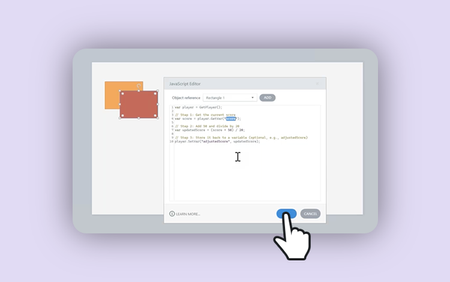
This week, your e-learning challenge is to practice using Storyline’s JavaScript API to build interactive e-learning. Start with ready-made examples, explore easy-to-customize code snippets, and discover new ways to create engaging interactions in Articulate Storyline 360.5.5KViews0likes2CommentsCreating Animations and Interactions in Storyline with Simple CSS and JavaScript (No Coding Required)
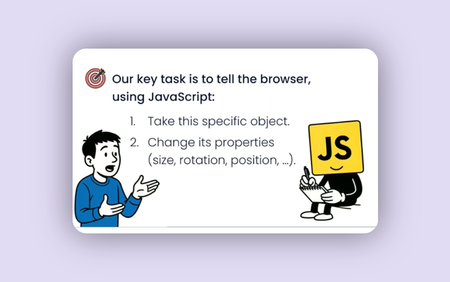
Learn how to make your courses move, react, and impress as guest presenter Natalia Vostretsova skips the coding theory and dives straight into what you need to know. You’ll walk away with a practical framework and ready-to-use code you can apply right away.3.2KViews11likes0CommentsHow To Embed An ElevenLabs Conversational AI Widget Into SL360 Using JS!
Hi Heroes, It feels like something new and exciting is always around the corner in the world of generative AI technology, and this week ElevenLabs put themselves firmly in the driving seat of the agentic AI revolution with their new Conversational AI toolkit. If you haven't heard of this yet, check out this video which explains it all: https://www.youtube.com/watch?v=v-EYzZCLF48&ab_channel=ElevenLabs The interactive, animated widget that this toolkit provided is easy to embed anywhere, including directly within an Articulate Storyline 360 project slide! If you're interested in how to get started, I've written a blog post that includes all the steps, including an Execute JavaScript snippet you can use to effortlessly get your agent loaded into your activity: https://discoverelearninguk.com/how-to-set-up-elevenlabs-conversational-ai-widget-in-articulate-storyline-360/ I'm also currently experimenting with the API for the new Conversational toolkit to understand how I can implement it into my eLearning Magic Toolkit plugin for Storyline + WordPress, potentially opening the door for developing real-time voice activated automation all within a Storyline-built eLearning activity! Much more to come very soon. 🚀 --- My name's Chris Hodgson, an eLearning developer and software trainer based in the UK. I enjoy creating fun, unique, and engaging online experiences using Articulate software! Connect with me on LinkedIn - https://www.linkedin.com/in/chrishodgson44/2.8KViews6likes7CommentsNew Tutorial! Build Dynamic Animated Bar Charts In Storyline Using JavaScript
Hi Heroes, I’m excited to share the latest episode of my Storyline Magic Series with you all! In this episode, I'll be showing you how to create dynamic animated bar charts in Articulate Storyline 360, using standard Storyline shapes, variables, and a touch of JavaScript magic. 📊✨ One of the highlights of this technique is that your chart animations are controlled using Storyline number variables, and bar shapes will adjust their height beautifully across all screen sizes, ensuring consistent results for all users. By the end of the tutorial, you’ll have a reusable template that you can apply to any bar chart designs you want to bring to life in Storyline! Check out the full tutorial below, along with a link to all previous episodes in the series: Watch the full series here - https://lnkd.in/dNvyD7wv --- My name's Chris Hodgson, an eLearning developer and software trainer based in the UK. I enjoy creating fun, unique, and engaging online experiences using Articulate software! Connect with me on LinkedIn - https://www.linkedin.com/in/chrishodgson44/ 1.4KViews7likes2Comments
Training Recommendations for a Beginner?
Hello! I want to learn JavaScript. 🙃 I really need JavaScript for Dummies 😂 I have access to LinkedIn Learning and found courses like: "Hands-On Introduction: JavaScript" (uses GitHub Codespace) "JavaScript Essential Training" (uses CoderPad) "Learning the JavaScript Language" (uses GitHub Codespace) Anyone familiar with these? I'm not familiar with GitHub or CoderPad, so I'd like to not have to set up an account and learn another program/site if the course isn't what I need. Does anyone have any recommendations from LinkedIn or YouTube? Or should I go to Microsoft? 😱 Maybe this is an opportunity for an Articulate Training/Tutorial? Most of the existing training presumes (I think) an intermediate or advanced knowledge of JavaScript. Thanks in advance for helping out a JavaScript newbie 👶🏼Solved1.3KViews5likes19CommentsJavaScript for the Rest of Us: A Practical Example in Storyline 360 with Drag and Drop Cables
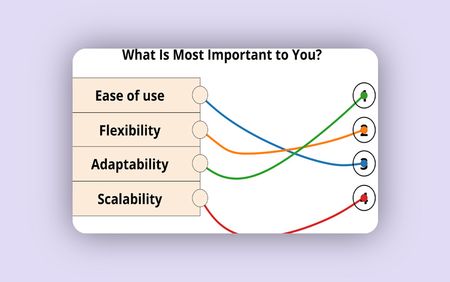
Join us for the final installment of this engaging webinar series with special guest, Nathanial Hilliard, where we’ll take a closer look at an actual small project that implements several of the ideas introduced in previous sessions, bringing JavaScript to life in your design1.3KViews3likes0Comments