question banks
2 TopicsHow to Number Questions in a Question Bank
This week's tip comes from RonPrice at our certified training partner, Yukon Learning. If you have a linear quiz where everyone will see the same questions, putting a text box on the screen indicating which question the learner is currently on is easy. But what about when you're drawing random questions out of a question bank? If learners aren't viewing your questions linearly, or will see a random subset of questions, you'll want to use Storyline's built-in variables. In this video, you will learn how to: Add the number of slides viewed to the Question layout in the slide master Exclude any slides from numbering other than quiz question slides Resources: Yukon Learning YouTube Channel Sign Up for Facilitated Certified Training243Views1like0CommentsMultiple Quiz Result Pages not tracking score correctly.
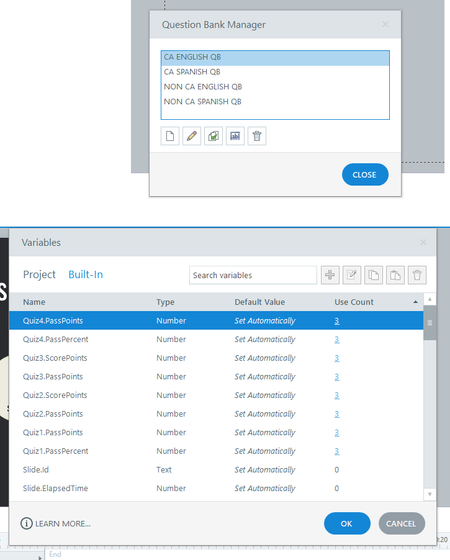
In the attached file, there are 4 quizzes with respective result pages. However, when I publish the file and upload to test, they are not tracking correctly. Some quizzes show a score of 80/80 even though all questions were answered correctly. While some result pages show a loading screen. I have checked the use count and made sure they align with the question banks. Is it not possible to have all four quizzes in one file?193Views0likes3Comments