rise
67 TopicsBuilding a Responsive Custom Block with the New Labs Feature
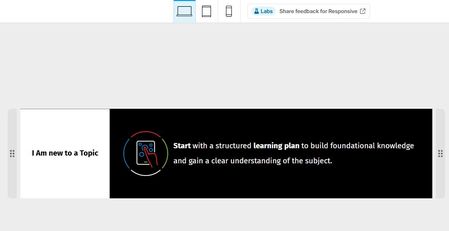
For this week's challenge, I experimented with the new Responsive Custom Blocks feature in Labs and used it to create a custom block that automatically adapts to desktop, tablet, and mobile views. The new container-based layout made it easy to reorganize content across breakpoints while keeping the design clean and consistent. A key objective was preserving icon quality, and the responsive controls allowed the layout to resize without stretching or distorting visual elements. The device previews and flexible container settings made testing and fine-tuning very straightforward. Overall, I found the feature intuitive and surprisingly powerful. It significantly simplifies the creation of device-friendly custom blocks, and I think it would be a fantastic addition to Rise 360 if it becomes an official feature. Great work by the Articulate team, and I'm looking forward to seeing how this feature evolves!Production Tips for Working in Rise 360
In this webinar, you’ll learn production tips to help you become even more effective at creating courses in Rise 360. We’ll cover how to build custom lessons with blocks, adjust course settings to get the right look, use images effectively, and more.2KViews0likes0CommentsBusiness Maths Essentials
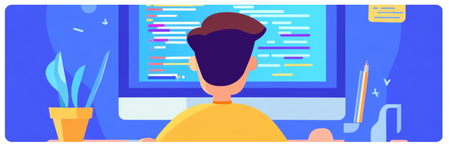
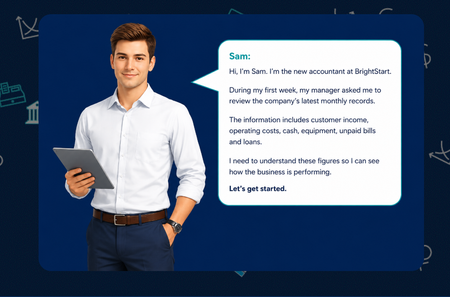
Hello everyone... For this week’s challenge, I decided to experiment with a simple combination of Articulate Rise, ChatGPT and PowerPoint. What started as a small idea quickly developed into a complete, scenario-based learning activity. I created Business Maths Essentials for new starters, using Sam, a newly appointed accountant at BrightStart, to guide learners through key financial terms, classification activities, profit-and-loss calculations and a final decision-making task. The learner supports Sam, a new accountant at BrightStart, as he works through four practical tasks: understanding key financial terms, classifying business figures, calculating profit or loss, and interpreting the wider financial position. The activities were created as responsive HTML, CSS and JavaScript components that can be placed inside Articulate Rise Code Blocks. The design uses clear instructions, immediate feedback, running totals, simple calculations and accessible keyboard controls. Consistent TS4 branding, restrained 44 px emojis and visual status cues help learners navigate the content without distracting from the learning objective. The modular structure also allows each activity to be used separately or combined into a complete learner journey. For the course banner, I adapted a template created by Tom and used PowerPoint’s Morph transition to produce a simple animated GIF, which I placed in different locations. Attached is the Rise Banner Template I used - Source : E-learning Heroes View the course: Business Maths Essentials Enjoy Dr NadiaBeyond Click-and-Read: Crafting Engaging E-Learning with AI Assistant
Unlock the power of AI Assistant in Articulate 360 to enhance your e-learning courses. Learn how to transform linear content into dynamic, interactive experiences. Discover practical ways to use AI features for creating impactful images, engaging interactive blocks, and effective quizzes that truly resonate with your learners.3.3KViews0likes0CommentsHow to Add a Custom Interaction Using the Code Block in Rise
This tip comes from RonPrice, Chief Learning Officer at our certified training partner, Yukon Learning. Do you need some custom content in your Rise course but you're not sure how to start? Use the code block! All you need is an idea. It's that simple. Creating a custom block has never been easier using the Rise Code Block. In this video, we will show you: How to use AI to quickly generate some code for an interaction How to insert the AI-generated code into your Rise course Resources: Yukon Learning YouTube Channel Code Block Group. Join the code block group in ELH to ask questions, post examples, and learn from other e-learning designers.456Views1like0Comments