tabs
46 TopicsCopy The File
Hello! This is a twist on the classic 'tab interaction that looks like a file of papers', which uses a Drag and Drop interaction instead of traditional Click To Reveal. But I've built in fallback controls to make it more accesible, of course. This was also a chance to play around with Rise's new AI Avatar feature, and extend that footage using Google Flow to create the two 'cut scenes' that bookend this experience. Check it out here: Copy The File | EngageBrainTrain.com
150Views2likes4CommentsOPERATION CIPHER - Can you crack the code before time runs out?
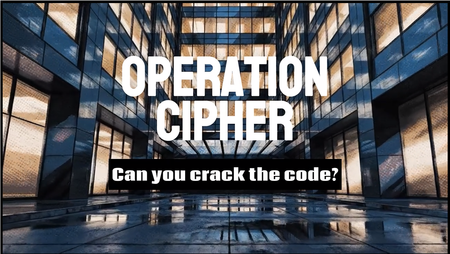
This week’s eLearning challenge was to create something using desktop folder tabs… so naturally I turned it into a covert infiltration mission. Check out what I created by clicking this link! OPERATION CIPHER Stolen intelligence is hidden inside a secure office. Learners must infiltrate the location, search the filing cabinet, locate the Operation Cipher folder, uncover hidden clues and crack the 3-number safe code before the alarm system activates. The entire experience was built in Articulate Storyline 360 using: • Interactive folder tab mechanics • A cinematic countdown timer • Layer-based scene progression • Graphic novel-inspired visual animations created using AI • First-person POV immersion • Safe code logic and trigger systems Rather than feeling like traditional eLearning, I wanted this to feel more like stepping into an interactive espionage experience. Can you crack the code before time runs out? Try it out! Check out what I created by clicking the link!137Views2likes0CommentsBack to Basics: Tabs on the Master Slide
When I saw this week's challenge, I immediately remembered a Sales Training Brochure I had created a while back in PowerPoint — where I had built the tab navigation on the Master Slide so I didn't have to rebuild it on every single slide. I thought, I can just import this into Storyline 360 and ta-da! 🎉 What I Used This Sales Training Brochure was already built in PowerPoint with six tabs: Overview, Participants, Sales Leadership Engagement, Program, 2026 Offerings, and Registration & Contacts. I simply imported it into Storyline 360 and it was ready to go. The design has a clean corporate aesthetic — navy and slate, bold tab labels, strong branding — the kind of polished piece you'd hand a sales rep on day one. But the build strategy is the real story. Import PowerPoint Into Storyline 360 Since I had put the entire tab navigation on the Master Slide in PowerPoint, all six tab buttons — styled, positioned, linked — were built once and inherited by every slide automatically. When I imported the brochure into Storyline 360, I didn't have to update a single trigger. Everything just worked. 🙌 That Old-School Folder Feel The top tab layout mimics a physical tabbed binder — the kind you'd actually find in a sales kit. Familiar, intuitive, and a little nostalgic. ✨ 👉 View the Demo108Views1like2CommentsStoryline: Pop-Out Tabs Interaction Template
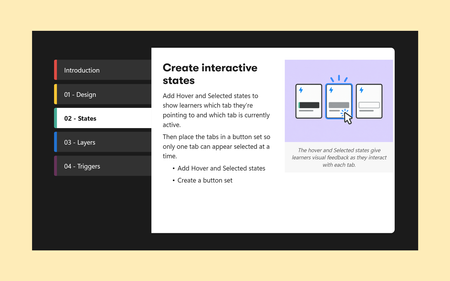
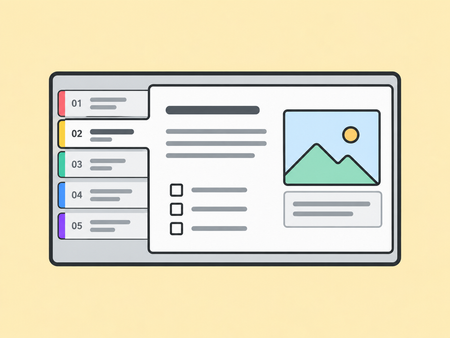
This free tabs interaction for Articulate Storyline 360 is fully customizable, so you can easily edit the colors, fonts, and designs to match your desired look and feel. View the project Learn how to build this folder tabs interaction5.7KViews2likes16CommentsGuide to a Healthy Lifestyle: Nourish, Move & Mind
Experience it I recently saw an interactive e-learning example in a Mastercard and really liked how it embedded lots of info in a simple, clear way. It inspired me to try something similar—organising content into smaller, engaging chunks that are still meaningful. I thought of healthy habits right away—it’s a topic anyone can relate to, and some ideas immediately popped into my mind. Learning Goal & Audience Goal: Share the three basics of wellness—nutrition, exercise, and mindset—in a quick, engaging, and friendly format. Audience: Anyone looking for small ideas to improve their daily wellbeing. Concept & Structure I set it up as a three-tile menu: Eating Habits, Physical Activities, and Mental Health, each including key subtopics, brief explanations, a "Did You Know?" feature, and simple definitions to keep the content light but informative. The structure is flexible—you can easily scale the number of tiles, tabs, or content items based on your learning goals or time constraints. Visual & Interaction Design I used soft colours like blues, yellows, and purples to give it a calm and positive feel. I also added light background animation and small object movements to make the screen feel more alive without being distracting. Development & Triggers Each tile links to its own layer on a separate slide. I used buttons and triggers to keep everything smooth. Motion path animations were added to the pop-ups so they slide in nicely when opened. Tools Used Illustrator for the graphics Vyond for simple animations Articulate Storyline for building everything and setting up the triggers Challenges & Solutions I started with custom motion paths but switched to built-in animations—they worked better and were easier to manage. I also made small fixes to the GIF and icon states after testing, just to make sure everything responded well. Outcome & Next Steps I’d be happy to share my process in more detail if it’s helpful—always glad to exchange ideas and learn together. Let me know what you think—I’d love to hear your feedback! ...and let's share, connect, and inspire: my LinkedinCustom Tab Interaction (Code Block)
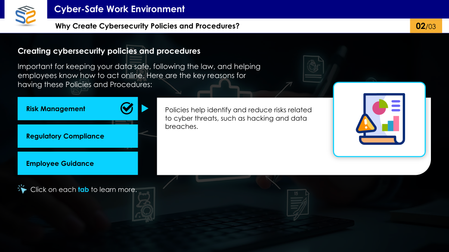
Link to Example For this Code Block Build-a-thon, I wanted to experiment with translating a custom tab interaction I originally built out in Storyline into a reusable code block for Rise. My goal was to create a version of the interaction that doesn't require Storyline experience so others can easily use it in their courses. I walk through my step-by-step process of prompting AI to show how I approached building and refining the interaction. A copy of the code is available at the end of the course.620Views5likes3Comments