valentines
3 TopicsDesigning for Everyone
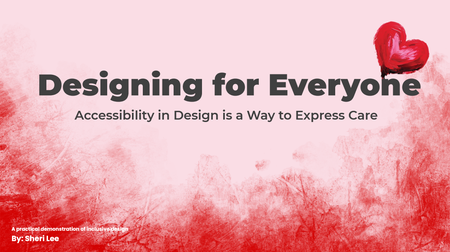
Link to course: Designing for Everyone: Accessibility in Design is a Way to Express Care This was more challenging (learning opportunities) than expected for a number of reasons. Test revealed just how much more I have to learn. I look forward to feedback on ways to make it better and more accessible. I designed this experience to be useable with a keyboard and with a screen reader to align with the perceivable and operable principles of POUR (Perceivable, Operable, Understandable, Robust), established by the Web Content Accessibility Guidelines (WCAG). It is a work in progress, not finished, because I learned a lot that needs to be considered and done for better accessibility. What was accomplished No content relies on color alone, animation alone, or a mouse alone. The slide content includes: Interactive elements with real controls Messages are available as text Focus Order follows visual layout (use the info icon on each slide to view the Focus Order) Accessibility is more than checking the boxes. It is about considering whether your design still works when the assumptions about users are removed. It is about Designing for Everyone. The Goal This project was designed to show how accessibility performs in the real world. The project aims to demonstrate outcomes, the same message, experienced through different access needs. It focuses on peoples’ experience with digital content. The Problem Many “accessible” examples stop at checklists. Here the focus is on how design decisions affect real users. This experience intentionally attempts to show both failure states and equivalent, accessible solutions. Key Design Decisions Screen reader friendly structure: Reading order is manually controlled. The message is real text. Alt text is used only when it adds meaning, decorative visuals are marked as decorative. Keyboard only interaction: Every interactive element is reachable using Tab, Enter, and Space. Visible focus states are always present. If content can’t be experienced without a mouse, we revisit before releasing.171Views1like0CommentsUnlock Your Valentine's Heart
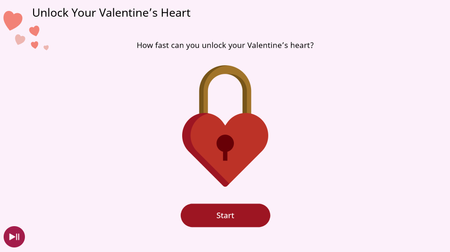
This is my first challenge! I have been recently working on creating some videos on accessibility in Storyline, and was demonstrating how button sizes really matter! I thought it would be cool to let others have a little play, so here is my mini example. You get 3 goes at unlocking a heart, where the buttons (keys) are getting smaller and further away. Simply select the start button, then select the key! The final one is 24 x 24 CSS pixels, which ticks the accessibility checker, but might not actually be that accessible when we take into account scaling and screen resolution. Try it again with just using a keyboard, and times should stay fairly consistent! Check it out here!103Views0likes0CommentsValentine's Express
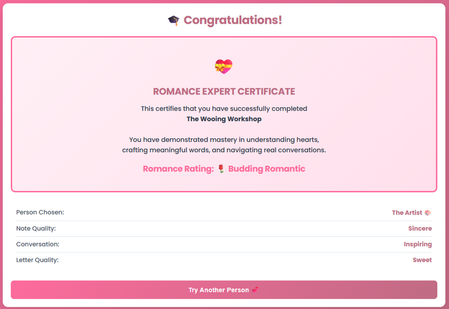
Valentine's Express is an interactive experience where users navigate personality-based scenarios and craft notes and love letters. They choose a personality type, receive personalized feedback, and earn a Romance Expert certificate. This entry doubles as my submission for both the E-Learning Valentine Challenge AND the Code Block Build-a-thon. It was my first time building with code blocks in Rise, and I'm amazed at what's possible. Ready to express your heart? Check it out here! 💕394Views4likes4Comments