variables
24 TopicsCould you be a Football Manager? ⚽️
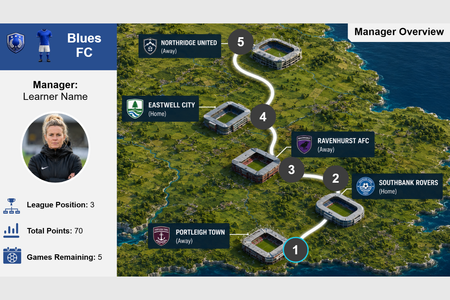
Hello there! 👋 I recently revisited the Teaching Sports with E-Learning #537 weekly challenge. I had been looking for different ways to start building out a portfolio and it had caught my attention! I love football, despite supporting Everton... and wanted to trial some gamification in storyline! ⚽ The project utilises a variety of variables that enable learner personalisation as shown below, thus I think it is also very apt for this weeks challenge. Learners select one of three manager avatars. 👱♀️ Learners select one of three teams with differing colour schemes. 🔵🔴 Each team have differing objectives for the end of the season in regards to total points, their final league position and what would result in a contract renewal. 🏆 The learners name is assigned to the manager when signing their contract. 🖊️ The objective is to achieve the objectives of the learners selected team to receive a contract renewal for the following season. 📄 Please have a look using the link and let me know your thoughts in the comments! 👇 Confession: I spent a bit more time on this than I planned! 😅 Enjoy! 😄 Link: Football Manager ModuleGameshow interaction with variables
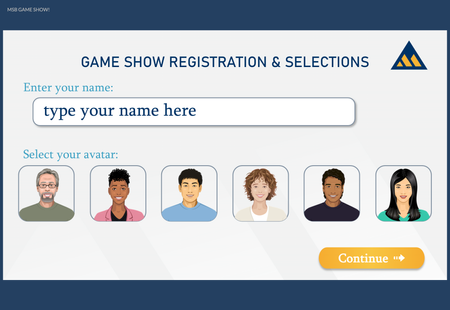
The challenge this week inspired me to recreate a gameshow-style knowledge check using variables for participants to enter their name and select a character. Here are the ways I used variables in this project: Participant Name Participant avatar (Storyline character) Participant "winnings" (score) "Winnings" (score) for two contestants (points awarded to one of the two if the user answers incorrectly) True/False variable which toggles when the user makes name/character selections to trigger a warning layer if no selections are made True/False variable which toggles when all questions have been answers to navigate to "Results" slide which uses the score variables to determine which layer to show based on which character had the highest score Here's a link to the project in Articulate Review
Foodie Frenzy - Choose your Chef
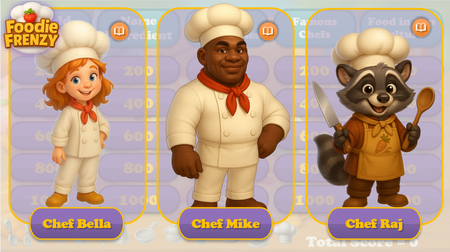
Hi everyone! My name is Ekaterina. Some of you may remember me from my previous account (Ekaterina_V), where I shared several of my projects and participated in the challenges. Since then, I was laid off from my position as an e-learning developer, and unfortunately, I lost access to my corporate Articulate 360 account. However, I'm still very enthusiastic about e-learning and Articulate, so here I am again—this time from my personal account. For this week's challenge, I'd like to share one of my older projects (hopefully that's allowed—I couldn't find anything in the rules that says otherwise!). It's a Jeopardy-style game about food, that uses variables to let learners choose their NPC chef character at the beginning of the game. Based on their selection, they receive personalized feedback throughout the course, including different character portraits and voiceovers. Once the game is completed, learners can restart it and choose a different chef to experience an alternative version of the feedback. Here are a few screenshots from the Gameplay (for this instance, I chose Chef Mike): Foodie Frenzy75Views0likes0CommentsAre you sure?
Hello! Personally, I've always found confirmation prompts like "Are you sure?" to be a little ominous and creepy. This week's demo is inspired by the hit horror movie, #Backrooms. This was another chance for me to practice with branching video scenarios, modal screens, and pairing footage created using Rise's new AI avatar feature with environments built in Google Flow. There are seven individual videos, which are shown/hidden depending on your choices. I found the AI text-to-speech in Storyline to be very versatile - the more you go round in circles, the more desperate the protagonist of the story sounds. There are four different routes through the demo. Be warned, two of the routes end in jump scares. You only have a 66% chance of making it through to the 'good' ending on one of the routes. Fancy your chances in the Backrooms? CLICK HERE
Choose Your Character
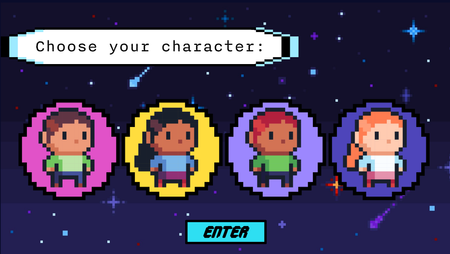
Hello Hello! This is part of a course I'm actively working on - a disability related training for supervisors. I wanted my learners to feel like they're learning but part of an 8-bit computer game. What's more computer game than picking your avatar?! I used a number variable to help keep my 4 different avatars from getting mixed up. Each avatar has a number associated with it. Depending which avatar you selected and submitted, they will show up throughout the course. Later in the course, I add in a True/False to help with a progress meter. So the learners know if they've gotten all the "things" but, I'm still working on it. Enjoy this short portion of the course! eLearning Challenge - Variables | Review 360Winter Survival
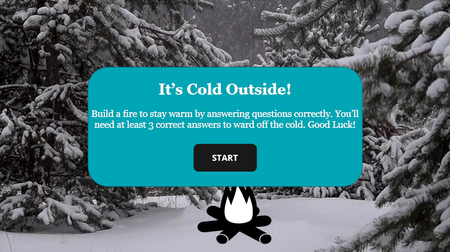
Click here to view the example. This is actually my first E-Learning Challenge! I'm new to using Storyline, so using the challenges for inspiration has helped me learn how to use the platform. For this challenge, I went back to #518 Designing Performance Meters for Learner Feedback. While the design is relatively simple, I learned how to: Create and edit slides and slide layers Create and edit states Create and use variables Create and stack triggers This project in particular helped me gain a better understanding of how triggers stack. After banging my head on the wall for hours, I finally figured out that my “jump to slide X when user clicks Y” trigger was stacked above my “set variable to True when user clicks Y”, meaning that the variable never changed because the trigger above it was fulfilled first and then the slide changed. Such an easy fix for hours of frustration. I’m looking forward to learning more and pushing myself farther in the new year. Any advice the community has for me is greatly appreciated! - Donna Wilson5-Minute Makeovers for E-Learning #532
We updated our menu slides. Originally the buttons just ticked off to show that each section was completed (we used variables at the end of each section that ticked the buttons off on the menu slide). We updated the menu slides to have badges instead that changed from black to coloured badges (using variables at the end of each section that ticked the buttons off on the menu slide). This was to link in with the gamification aspect for staff to collect the badges throughout the course for each section.164Views0likes0CommentsLeadership 101
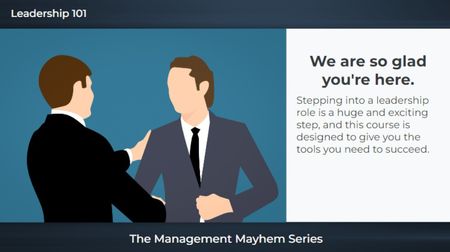
The first slide is an example of what gets approved by corporate: Generic clipart, plain text, and no audio. I mean, it looks fine but (yawns and screams internally). 🥱 The next two slides are what I proposed. I used text variables for both the name and character selection and paired them with states. I also used triggers with conditions so the narration would match the characters (male v female). I would have created individual voices for each character but this was only a "5-minute" challenge. 😉 I used all Articulate for this: Characters, photo, and video. Leadership 101231Views2likes0CommentsThe Anti-Snob Coffee Guide
First time creating my own number variable! Woohoo!😁 Thanks to this training Using Number Variables in Storyline, I was able to use a number variable for the coffee calculator. As always, I used Articulate AI and 360 content for videos, art, icons, and TTS. I also used Gemini for a couple of videos. I like these challenges because it gives me a chance to learn new skills, inject some humor🤠, and be creative with visual design. I have to comply with corporate templates and branding guidelines all day, so I enjoy the freedom with these challenges!Victorian Alphabet Project
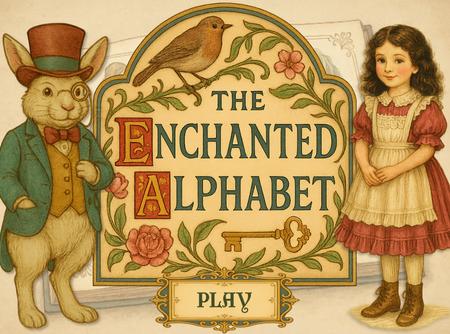
A Most Curious Diversion: The Victorian Alphabet Dial Though I am tardy in submitting this humble creation, I felt compelled to share my vision nonetheless. Ever enchanted by the elegance and refinement of the Victorian aesthetic, I have embarked upon a whimsical endeavour: an interactive alphabet dial. With a gentle spin, the player shall unveil a letter accompanied by a charming illustration and a verse, each rendered in the ornate style of the age. It is my sincere hope that this modest project shall delight and amuse, and perhaps even transport you—if only for a moment—into a bygone era of beauty and imagination. Enchanted Alphabet