
It’s Back to E-Learning Basics week, and we’re getting back to fundamentals with a classic tabs interaction. The catch? We’re leaning into that old-school skeuomorphic desktop folder look and feel.
Examples of desktop folders
A few weeks ago, Judy shared a fantastic template showing multiple ways to build persistent tabs interactions using slide masters and even variables.
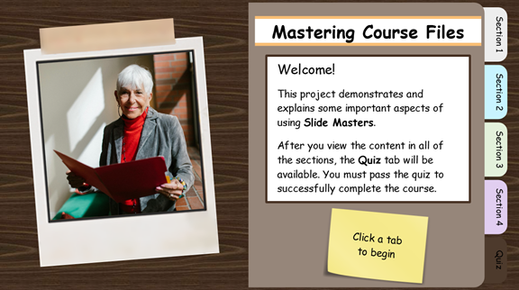
Folder-Style Storyline (download)
It’s a great reminder that there’s rarely just one way to build something in Storyline.
New to Storyline?
If you’re brand new to Storyline, this is a perfect challenge to get comfortable with the basics. Check out my folder tabs class and download to walk through the essentials and see how it all comes together.
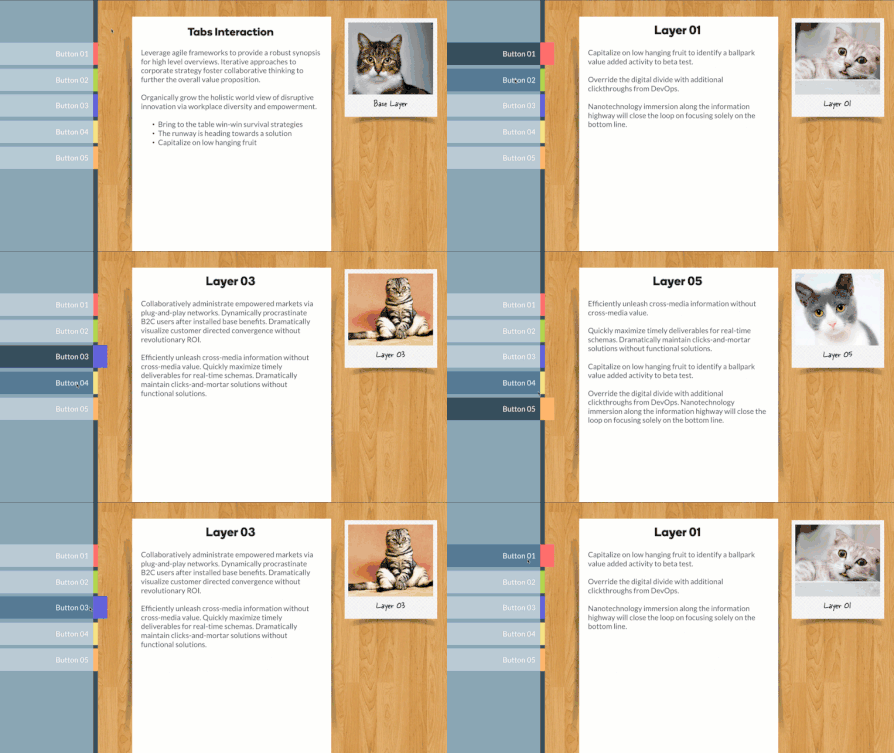
How to Build Pop-Out Folder Tabs: On-demand class | Download
🏆 Challenge of the Week
This week, your e-learning challenge is to design an interaction inspired by desktop folder tabs or the kind you’d see in file systems or browser windows.

🚀 Tips for Getting Started
Here’s how you can approach this week’s challenge at the level (and time commitment) that works best for you:
- Start simple: Create a single-slide tabs interaction with a desktop or folder theme using slide layers.
- Level up: Build a multi-slide tabs interaction using slide masters and layouts for persistent and selected tabs.
- Challenge mode: Incorporate variables to track and display folder tabs across multiple slides.
✨ Share Your E-Learning Work
You put in the effort, now make sure your work gets seen:
- Blog it: Post your example in the recap hub and tell us how you tackled the challenge. With the new submission format, you can comment directly on each example. Try leaving helpful feedback on at least three projects this week.
- Share it: Please share your examples on LinkedIn and mention both David & Articulate using the #ElearningChallenge tags so we can help promote your work.
- Discuss it: Feel free to cross-post in the forums to give your work even more visibility.
🙌 Last Week’s Challenge:
Before you tab through this week's challenge, check out the creative ways your IRL community members are using AI characters in e-learning:
AI Avatars in E-Learning #550: Challenge | Recap
👋 New to the E-Learning Challenges?
The weekly e-learning challenges are ongoing opportunities to learn, share, and build your e-learning portfolios. You can jump into any or all of the previous challenges anytime you want. I’ll update the recap posts to include your demos.
Learn more about the challenges in this Q&A post and why and how to participate in this helpful article.
