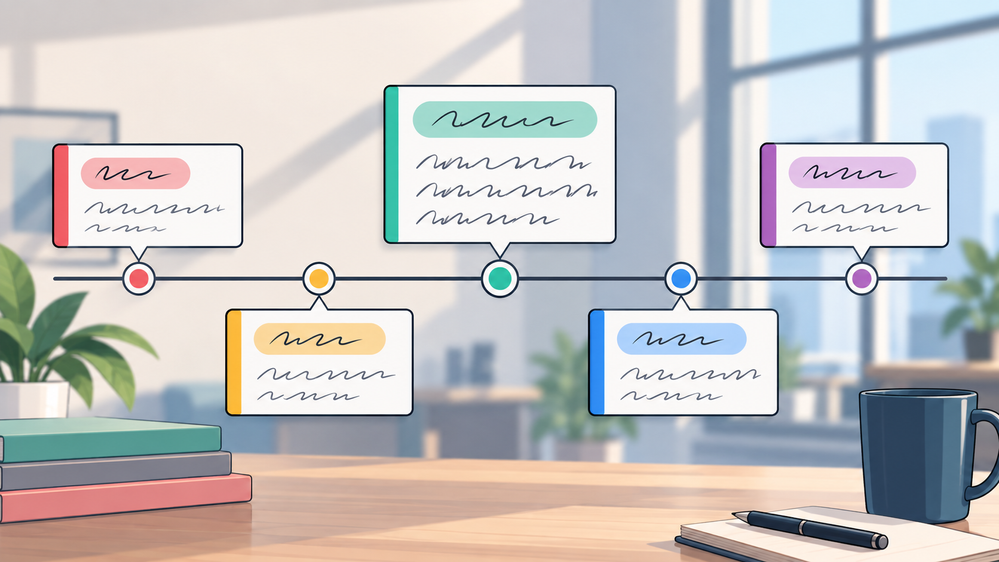

Timelines are one of those interaction types that can work with almost any topic. You can use them to walk learners through company history, show how a process evolved, introduce the stages of a project, or reveal what happened before and what happens next.
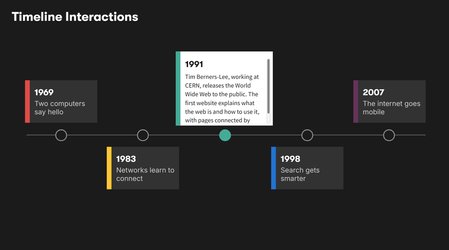
View and download the timeline interaction
The trick is going beyond a row of dates and turning the timeline into something learners actually want to dig into. Instead of presenting everything at once, give learners control over what they open and how they explore it. That learner-controlled approach can help people focus on the information they need without forcing them through every piece of content.
🏆 Challenge of the Week
This week, your e-learning challenge is to design an interactive timeline that helps learners explore events, milestones, steps, or changes over time.
NOTE: And remember, timelines don't have to be historical. Try product releases, onboarding milestones, a customer journey, the life cycle of an idea, project phases, scientific discoveries, career paths, or even the history of something completely ridiculous.

Upcoming Class and Practice File
This Tuesday I'm teaching a class on building timelines in Storyline. I'll work with a timeline project I recently shared so you can see how I built it.
Register for How to Build Timeline Interactions in Storyline
🚀 Tips for Getting Started
Here's how you can approach this week's challenge at the level that works best for you:
- Start simple: Create a horizontal or vertical timeline with clickable dates or milestones that reveal text, images, or short descriptions.
- Level up: Add visited states, progress indicators, motion, or a scrolling timeline so learners can see where they are and what they've already covered.
- Challenge mode: Add motion paths so each card opens and closes with some personality. You could also try free versus locked navigation, or use variables to personalize the interaction.
🙌 Share Your Work
You put in the effort. Now make sure your work gets seen:
- Personal blog: If you have a blog, write about your example from this week's challenge and share the link with your submission.
- Social media: Share your examples on LinkedIn and mention both David and Articulate using the #ElearningChallenge tag so we can help promote your work.
- Peer feedback: Try leaving helpful feedback on at least three projects this week.
- Community forums: Cross-post in the forums to give your work even more visibility.
🙌 Last Week’s Challenge:
Before you move the timeline forward, take a few moments to go back in time to see how your fellow community members are using the new Articulate 360 formats:
Exploring the New Articulate 360 #566: Challenge | Recap
👋 New to the E-Learning Challenges?
The weekly e-learning challenges are ongoing opportunities to learn, share, and build your e-learning portfolios. You can jump into any or all of the previous challenges anytime you want. I’ll update the recap posts to include your demos.
Learn more about the challenges in this Q&A post and why and how to participate in this helpful article.
