Blog Post

Storyline Templates
1 MIN READ

Storyline: Custom Glossary Slide

JudyNollet's avatar
JudyNollet
Super Hero
6 years ago

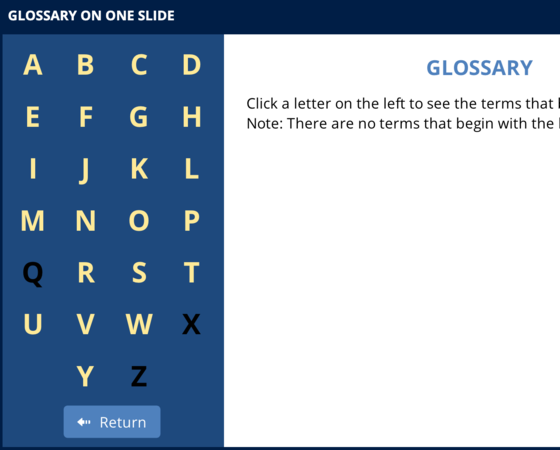
Here's an easy-to-customize custom glossary slide for your next project. It's built on a single slide and features an intro layer, plus a layer for each letter.

Explore this project

This project uses the Effra font, but Arimo, a free Google font, is a close match.

Published 6 years ago
Version 1.0

14 Comments

  • Thanks to the Articualte staff for adding this to Downloads. FYI:
    •There's an Intro layer, plus a layer for each letter.
    •For demo purposes, I disabled the Q, X, and Z buttons to show how simple it is to turn off letters you don't need.
    •There's also a Programming Instructions layer. That's not visible to users; it's just there to provide more details about how the slide works.
    • KristinPacheco's avatar
      KristinPacheco
      Community Member
      Great work, and easy to use! Thanks for providing a programming instructions piece!
    • RyanWilhite's avatar
      RyanWilhite
      Community Member
      This is stunning!

      If I wanted to build this and also provide a PDF as a terms glossary/index, can Storyline automate that? Or is the PDF a completely separate article needed to be manually created?
      • JudyNollet's avatar
        JudyNollet
        Super Hero
        Thanks, Ryan.
        Unfortunately, you'll probably have to manually create any companion PDF.
        Well, if you have minimal definitions, I suppose you could publish the Glossary slide into Word, tweak that file as needed, and then save it as a PDF. But you're probably better off just copying and pasting the text.