Example

AI Avatars Gallery
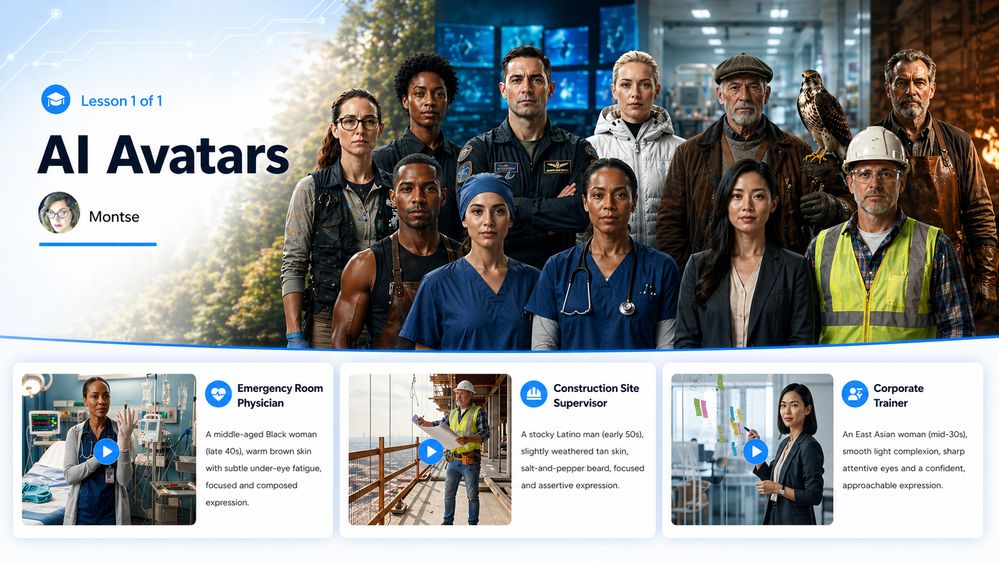
For this week’s demo, I mostly wanted to see how well I could control the scene, style, and framing for custom characters. I work a lot with Google Vids to create AI scenic videos for my travel courses, but I haven't done a lot with character creation.
I used a custom block to build a gallery for all 12 videos.
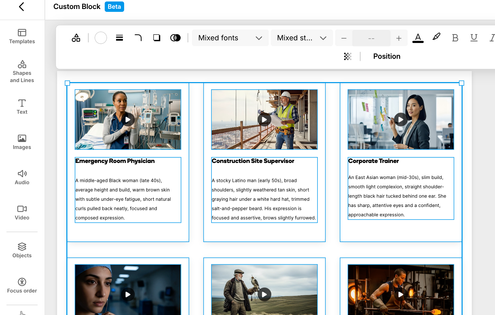
I wanted to link each thumbnail to its own lesson, but that’s not supported yet. So, I embedded the videos directly as the thumbnails.
4 Replies
- JodiSansoneCommunity Member
Thank you for posting this. You've inspired me to play more with this. My only complaint is that AI thinks 60s is elderly. Lol!
- MontseaLegend
I discovered the same thing with voices! They should add a group between "younger" and "middle-aged." Every voice in younger sounded like a teen or younger. I had to use middle-aged voices for my 30-year-old characters.
- MrMan1979Community Member
I have not followed new tech and trends for 3 years. I'm blown away by what you created and even that it is possible at all. How long did these take to make? And you used Google Vids?
Montsea, this is such a cool example! I wanted to make sure you know we are currently running the Nova Expedition, which encourages people to share their AI Avatar examples and provide feedback. Then you can earn 30 bonus ELH Rewards points! If you are interested, you could reuse this example there or try out something new.



Recap



Getting Started with the E-Learning Challenges
Find practical answers to common questions about the E-Learning Challenges, a weekly event that helps you build skills, create your portfolio, and grow as an e-learning professional.