Forum Discussion

360 images: no annotations?
- 6 months ago
You already know the answer, but I'll add this for the benefit of anyone else who might come along and read your post.
Just for the sake of argument, if you want to manually show or hide the marker text panels you can can follow this general approach (included mainly as a starting point for further exploration):
const tsImage = object('5tuAs0h4VnH');
let elTsImage = document.querySelector("[data-model-id='"+tsImage.name+"']")

let panel = elTsImage.querySelectorAll(".panel-el")

//console.log("tsImage:", elTsImage)
//console.log("Panels:", panel)

//Assumes 2 markers with text panels are available
panelVisibilityMap = [1,1] //1= visible, 0 = hidden

panel.forEach((e,i,a)=> {
	if(panelVisibilityMap[i]) {
		panelVisibilityMap[i] ? e.classList.add("panel-shown") : e.classList.remove("panel-shown")
		e.style.visibility = panelVisibilityMap[i] ? "visible" : "hidden"
	}
})
FYI- The panels are listed in the DOM in the reverse order they are listed in the 360-degree image editor panel. To show/hide the panel requires a style change and a class addition/removal for each affected marker text panel.
This technically works, BUT the text panels are not dynamically updated before the markers are clicked or during image click and drags movements. Showing them will just yield stationary and likely mispositioned text.
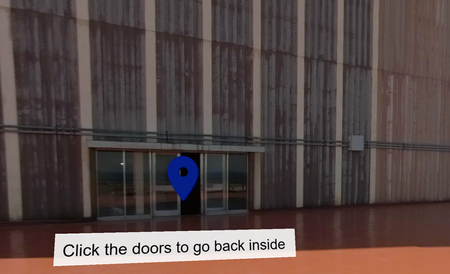
Another option would be to replace or augment the clickable markers with HTML text, or possibly add an image of your label. This would take some work, and require resize management. From my understanding, the visible markers themselves are technically part of (embedded into) the movable image. The clickable markers are actually invisible overlays that track the markers embedded into the image. If you were to make them visible, they would resemble the embedded markers and you would see them track to approximately the same locations. You could use the associated DOM container to display something else over the embedded visible markers, but you cannot actually get rid of the visible markers entirely. Whatever you added would roughly track with the image movements however.

You already know the answer, but I'll add this for the benefit of anyone else who might come along and read your post.
Just for the sake of argument, if you want to manually show or hide the marker text panels you can can follow this general approach (included mainly as a starting point for further exploration):
const tsImage = object('5tuAs0h4VnH');
let elTsImage = document.querySelector("[data-model-id='"+tsImage.name+"']")

let panel = elTsImage.querySelectorAll(".panel-el")

//console.log("tsImage:", elTsImage)
//console.log("Panels:", panel)

//Assumes 2 markers with text panels are available
panelVisibilityMap = [1,1] //1= visible, 0 = hidden

panel.forEach((e,i,a)=> {
	if(panelVisibilityMap[i]) {
		panelVisibilityMap[i] ? e.classList.add("panel-shown") : e.classList.remove("panel-shown")
		e.style.visibility = panelVisibilityMap[i] ? "visible" : "hidden"
	}
})
FYI- The panels are listed in the DOM in the reverse order they are listed in the 360-degree image editor panel. To show/hide the panel requires a style change and a class addition/removal for each affected marker text panel.
This technically works, BUT the text panels are not dynamically updated before the markers are clicked or during image click and drags movements. Showing them will just yield stationary and likely mispositioned text.
Another option would be to replace or augment the clickable markers with HTML text, or possibly add an image of your label. This would take some work, and require resize management. From my understanding, the visible markers themselves are technically part of (embedded into) the movable image. The clickable markers are actually invisible overlays that track the markers embedded into the image. If you were to make them visible, they would resemble the embedded markers and you would see them track to approximately the same locations. You could use the associated DOM container to display something else over the embedded visible markers, but you cannot actually get rid of the visible markers entirely. Whatever you added would roughly track with the image movements however.

I did not know that. I've never used JS with Storyline. (With Lectora, yes.)
Thanks. That looks doable. Not ideal, but OK. I'm actually sort of tempted to just PhotoShop my text right into the image, which will (obviously) guarantee it always being placed correctly. I can leave my .psd file for my successor with all the layers clearly labeled, so they can modify the text. Hmm ....
- Nathan_Hilliard6 months agoCommunity Member
That is probably the most efficient solution by far, even if not very flexible.