Forum Discussion

Collapsible menu in Rise?
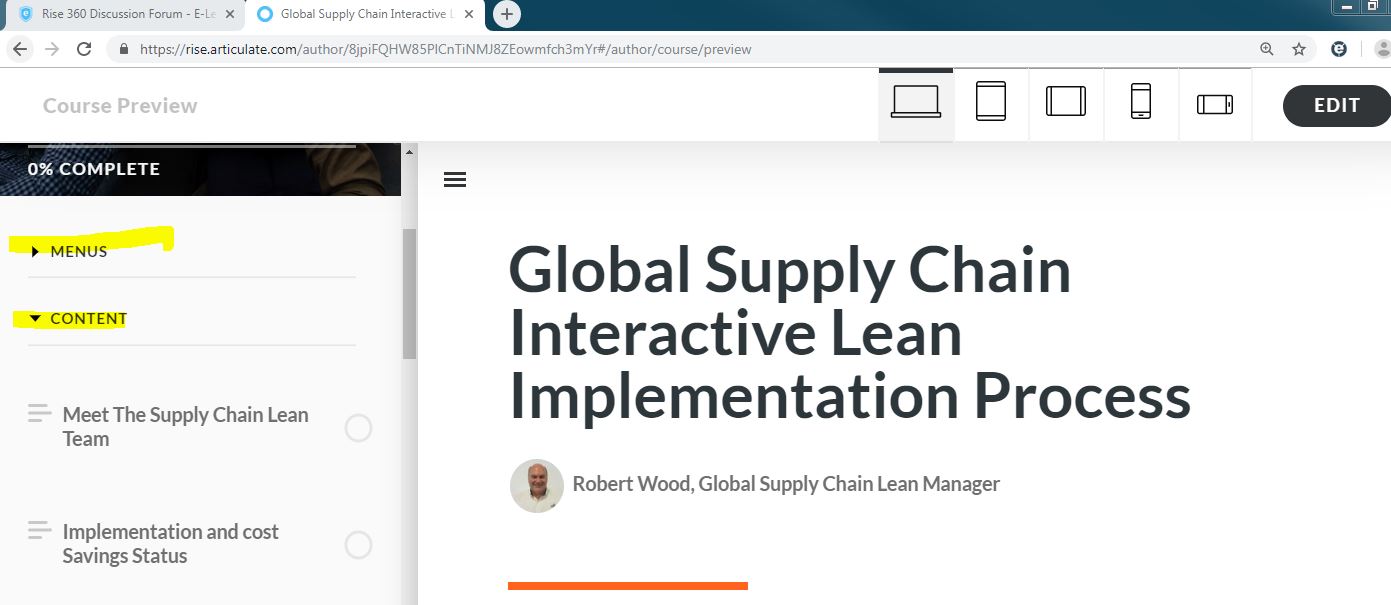
I love the feature of the side menu for the learner to navigate quickly. However, in one of my courses there are a lot of places to go resulting in the menu being cumbersome. Is there a way to default to have the menu collapsed as shown in the attached file?
Hello everyone,
I'm happy to let you know we released a new update for Rise 360! This update adds the following feature:
- Automatically collapse sections in sidebar and compact navigation.
There's nothing to install for web apps. New features and fixes are immediately available, though you might need to publish your Rise 360 course again.
Let me know if you have any questions about this update.

55 Replies
Thank you everyone for sharing how important this feature is! I've shared these comments with my team. We'll update this discussion if this makes it on our product roadmap.
- EricBoucheCommunity Member
Could you please add this feature as it is really needed.
- KarynMurray-48cCommunity Member
I would like this feature too please!
- JulieDessure500Community Member
I need it too please :)
- BeatriceGhir338Community Member
It would be very needed by our team too!
- AdamMacaluso-b2Community Member
+1
- ChristineSch741Community Member
Please add this feature. It provides for much better readability and orientation.
- AgnesEtienneCommunity Member
Please, we need this function.
Just use ChatGPT if you have trouble finding a suitable code. The solution is out there…
- MaryCapucilli-9Community Member
please add this feature!
- NoorSumaiya-950Community Member
+1










Related Content
- 5 months ago
- 3 months ago