Forum Discussion

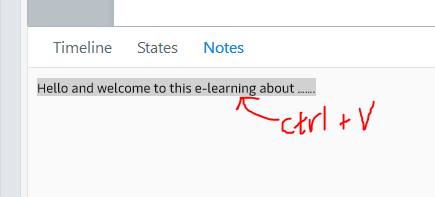
copy and past text on slide to notes causes crash
When I copy and paste text on the slide to the notes, it frequently causes storyline to crash.
24 Replies
- LinaEspinosa-81Community Member
Thanks for your reply. I did and that did not fix the issue.
Thanks, Lina. I've opened a support case on your behalf so that you can work directly with a support engineer to get back up and running. You should be hearing from someone soon.
- CarolDungan-4e5Community Member
Also having copy/paste problems into notes. Copying from MS Word into notes results in text being doubled or tripled in the notes window. Have uninstalled and reinstalled all apps several times, created fresh file and it's still happening. Updated to latest.
One thing I noticed: it happens when I'm copying text from a table, would that make a difference?
Hello Carol!
Sorry that you're running into issues with copying and pasting in Storyline 360! It sounds like you've tried multiple troubleshooting steps and are still noticing issues when copying text from Microsoft Word and pasting the text into Storyline 360. Are you seeing this with every project or specifically the course you're working on?
It would be helpful if we could take a look at the .story file to better understand what is occurring on your end. You can share the file in this public discussion or upload it privately in a support case.
- TimSpaidCommunity Member
This has continued to be a problem for me over the past several years, but is currently plaguing me this morning. I tried editing existing SL files and starting from scratch. I've copied and pasted text from Notepad to strip of any formatting. I've rolled back to two prior updates with no results. Right now, things seem to be stable so long as I DON'T attempt to format Notes text with inserting a Bullet, or the file will crash. So please take a look at that specific issue, if you would.
- Jürgen_Schoene_Community Member
- TimSpaidCommunity Member
I reported information about the problem with details on what I was doing
repeatedly this morning. You should have received nearly a half dozen
reports with information I provided at the time.Tim
Hi Tim,
I'm sorry to hear that this continues to be an issue for you! It sounds like you've done some troubleshooting on your own, so I've opened a support case on your behalf so we can investigate this further. You will be hearing from one of our Support Engineers soon via email.
- LaurenAndrews-aCommunity Member
- TimSpaidCommunity Member
Like many problems I've had over the years, it just mysteriously went a way. Since I did nothing, I have to assume the problem was tied to an issue with Articulate servers. More recently the program was crashing when I attempted to format text in the transcript with bullets. Efforts to roll back or update Storyline versions had no affect. Again, what was a consistent repeatable problem sorted itself out.









Related Content
- 10 years ago
- 12 months ago
- 10 years ago
- 10 months ago
just copy the text from the second window and post it here