Forum Discussion

Customizing Matching Drag & Drop Question Boxes
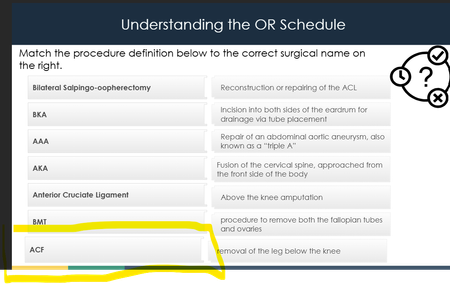
- 6 months ago
Hi AlisonDodge-0c4 the answer is yes to using a free form option if you require flexibility. You would not be able to replicate the exact functionality that your example provides, for example, when matching a pair of items, the item currently in that location would not shuffle to the other location. For this reason, you need to structure it slightly differently and have adequate space to have your list of draggable items, an equal number of drop targets, and an equal number of labels for those drop targets. Here's a basic Storyline example to give you an idea. If you check out the configuration options, you'll find a bit of flexibility in how it functions too.


Drag-and-drop templates from the Content Library can feel overly simple and restrictive, especially when it comes to customization. Limitations like minimal control over text auto-fit, awkward scaling of shapes, and lack of built-in color adjustments can make them frustrating to use in more polished designs. They’re clearly built for quick deployment rather than flexibility.
I use them sparingly and avoid cramming large amounts of text into those layouts. Colors can, however, be adjusted with JavaScript by assigning different styles to shapes through CSS properties, allowing you to achieve a much more polished look—as shown below.
Related Content
- 1 year ago