Forum Discussion

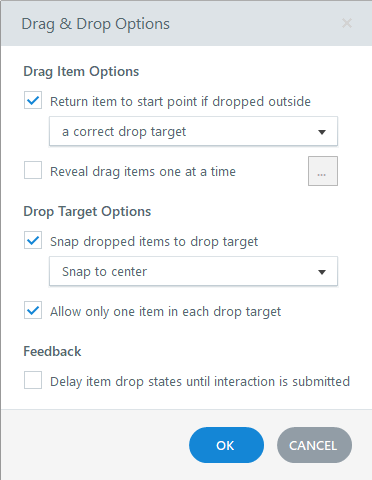
Drag-Items do not return to start point when dropped outside correct target
- 6 months ago
Thanks so much! I've explored a bit more with your project file and have come to the conclusion the problem is the draggable options. I'm unsure why, but the code for the draggable objects is very different in the inspector between the two slides.
On a hunch, I deleted one of the draggables from the first slide and made a new rectangle/option, hooked it up in the Form View, and can confirm that one returns to its origin after I release the mouse button. It seems the individual draggable objects are the culprits. I hope this works enough to keep you from creating a whole new project. Let me know if it works!


Hello Katrin_M,
I'm sorry to hear you're experiencing this when working with a Drag and Drop Interaction in Storyline. I tested this on my end and am experiencing these settings as expected. Happy to learn more about your setup!
- Do you have any custom triggers that move or change the state/position of the drag items after they’re dropped?
- Does this behavior happen in Preview, published output, or both?
If you are still experiencing this when working on the latest version of Storyline 360 (Build 113), I recommend importing your slides into a brand new .story file as a troubleshooting step.
We'd be happy to take a closer look at a screen recording of this behavior and a copy of your .story file if this issue continues.
Looking forward to hearing from you!