Forum Discussion

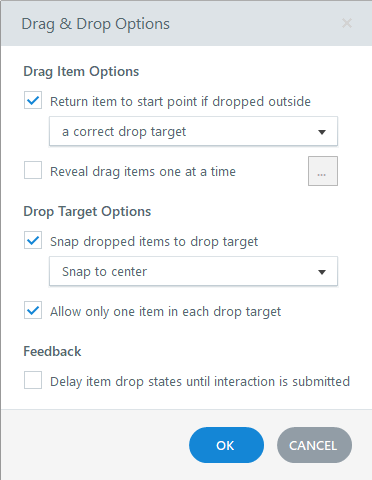
Drag-Items do not return to start point when dropped outside correct target
- 6 months ago
Thanks so much! I've explored a bit more with your project file and have come to the conclusion the problem is the draggable options. I'm unsure why, but the code for the draggable objects is very different in the inspector between the two slides.
On a hunch, I deleted one of the draggables from the first slide and made a new rectangle/option, hooked it up in the Form View, and can confirm that one returns to its origin after I release the mouse button. It seems the individual draggable objects are the culprits. I hope this works enough to keep you from creating a whole new project. Let me know if it works!

Hi Luciana,
Thanks for your detailed answer!
You'll find the part of the project here:
https://360.articulate.com/review/content/091d651a-3637-4ec9-ba94-1828c0b32404/review
Importing the slide to a new project (the one shown above) did not change the behaviour of the Drag and Drop action.
Thanks for your support in advance,
Katrin