Forum Discussion

Edit Print Results
Hello Storyline community,
Is there any way to edit the results page of the "Print Results" feature within Storyline? I'd rather not have to manually edit the report.html page. I haven't opened Dreamweaver since I started with Storyline and don't want to ruin my streak.
Thanks,
Dan
19 Replies
- NickiBerry-3088Community Member
I agree! Joyce, you are a life saver! Thank you so much!
- CharlesSaundersCommunity Member
I am trying to change the title, column title and the column width. I want to remove the word student since my learners are not students and expand the response column and shrink the question column. I was successful to change the title but I cannot locate the HTML 5 line that changes the column title and width. Any help from the community would be appreciate.
- LisaLewis-cadcfCommunity Member
I echo @Mike Saunderson, I am trying to do the same thing, help would be most appreciated.
- Professional821Community Member
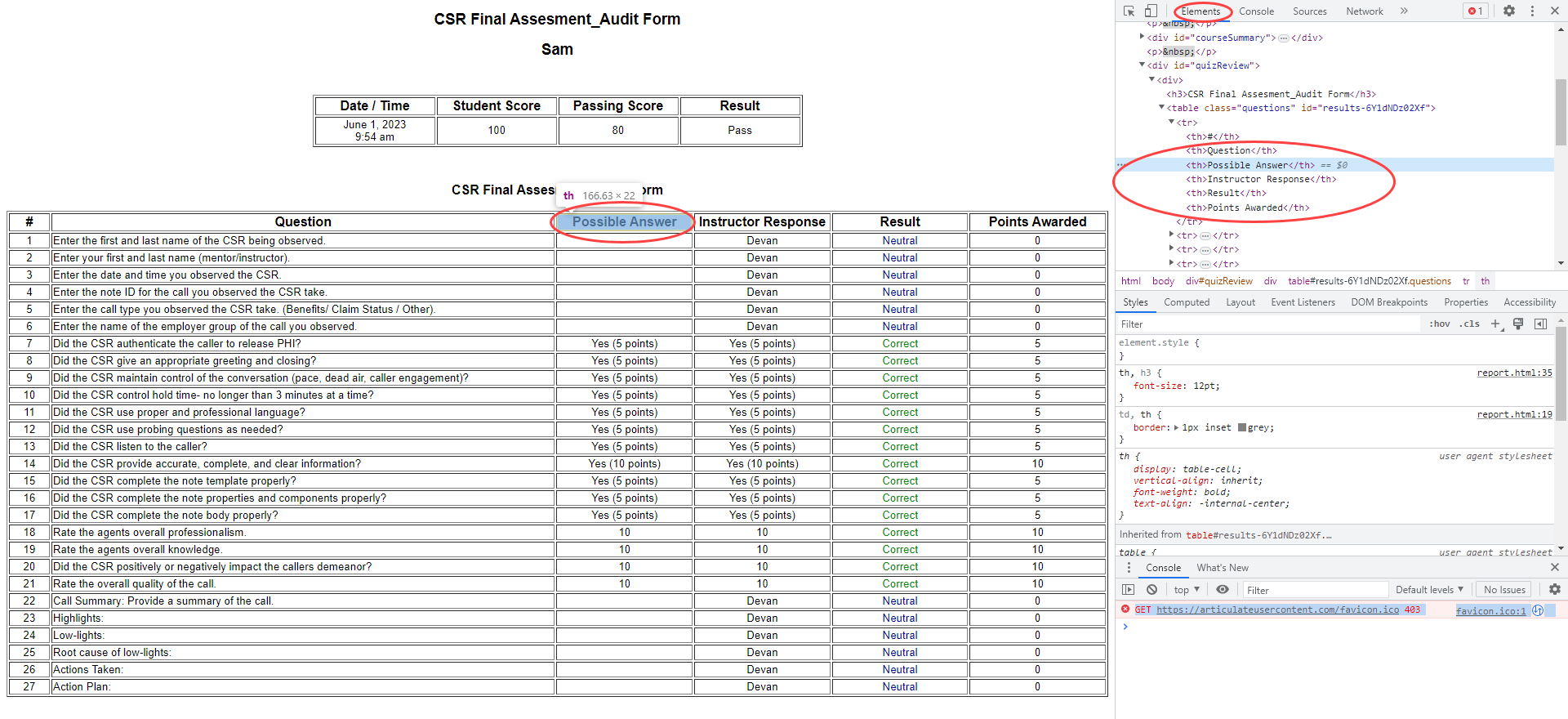
Hi all! I'm looking into this myself as I'd like to remove the column with the correct answers completely. Am I understanding correctly that the fix for this is:
- Find a copy of report.html
- Modify the HTML of report.html
- Replace the report.html file for each course authored with the modified report.html before uploading to LMS
There's no report customization tool built within Storyline360 or options for the kind of changes I'm talking about?
~RC- GillianBlair-70Community Member
HI Professional Development -
I'm trying to do the same - remove the correct answer column completely. Did you get a response or find a fix?
Thanks!
- AndreaSchnei311Community Member
Hi, following... for updates.. I would like to change the same columns also
- DevanAbiaCommunity Member
- MariaPineda-469Community Member
How can I add a logo to the Print results?







Related Content
- 10 months ago