Forum Discussion

Error when uploading SL360 content to PeopleSoft
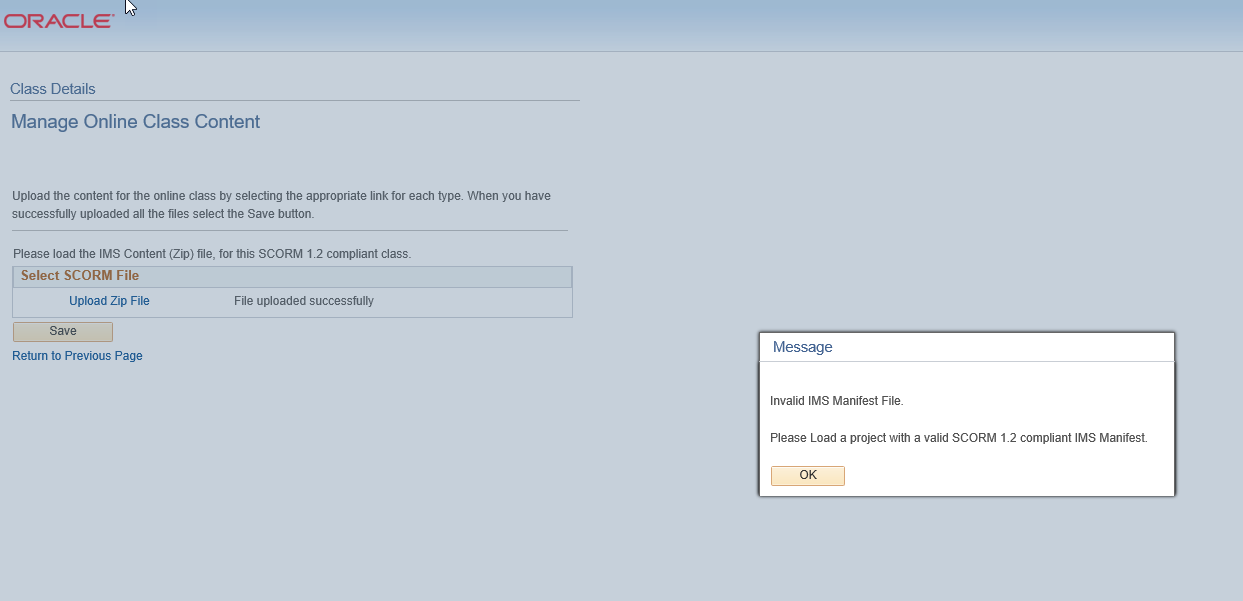
Hi - have a client who uses PeopleSoft LMS. When they try to upload content created/published in SL360, they get an error: Invalid IMS Manifest File. Please load a project with a valid SCORM 1.2 compliant IMS manifest.
I have tested this file in SCORM Cloud and it is SCORM 1.2 compliant. Can anyone give tips on how to upload Storyline content to PeopleSoft?
Thanks, Steve.
28 Replies
- JustinVaughnCommunity Member
Hi! We were actually able to get it figured out! Like John mentioned (and as this post mentions) I had to downgrade my version of Storyline. We're doing final tests now but everything seems to be working.
Since I downloaded Storyline recently, I had the latest version. Once I got in contact with Darrell from Articulate Support, we figured out that the problem may have been with our LMS because the course was working in the SCORM Cloud. I was then informed by our PeopleSoft rep that our LMS wasn't up to date and that may be why my course wouldn't upload. So I downgraded to the version from March 2020 and it ended up working.
Thanks for the feedback!!
- JohnCarter-66e5Community Member
Congrats! Using the version from March 2020? I am green with envy... You must have a more recent version of PeopleSoft than I have been playing with...
Enjoy,
John
Hi Justin,
I'm so glad that you were able to get this sorted and I appreciate you popping in with an update.
Hi John,
Thank you for updating me on your case. I'm going to share your thoughts with our team.
It also looks like your email signature came through when you replied via email a few times above. You can remove that if needed by clicking ‘Edit’ beneath your response. Here’s a quick Peek video if you need help.
- JoeBossCommunity Member
Hi, this is the only Google search result that comes up when looking for Oracle Talent Cloud error 'Uploading failed. Try to upload the image again. (WLF-5145032).
I can get a simple two slide project to upload, but not one that contains MP4 and MP3 files. The files work OK in SCORMcloud, and to a certain extent in a much older LMS.
I notice people mention an issue with the imsmanifest - is there a manual workaround to hack at the affected files? Fairly well versed in manually editing SL2 output so happy to do whatever's necessary to avoid downgrading the software.




Related Content
- 10 months ago