Forum Discussion

feedback master button states not being inherited by feedback layers
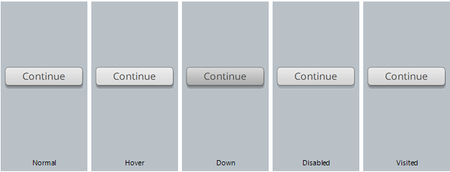

Greetings. A quick update!
We're excited to share that Update 29 for Storyline 360 is live: Check out all the goodies here, and here's how to update to the latest version!
A quick rundown of the improvements related to feedback masters:
- Feedback masters now have theme previews so you can quickly see how your feedback layouts look when applied to different design themes in your course. Click here to learn more!
- Remember when the formatted text on a feedback master did not always carry over to the slide layers? That issue is now fixed!
Appreciate you all continuing to work with us. If there's anything else we can do to help, please let us know!
- JoyceHensen7 years agoCommunity Member
Thanks for the update. Since this thread has been around longer than 360 has been around, could you please let us know when the update will be available for SL 2 and SL 3? Those of us that reported the problem and don't have 360 are not helped by a 360 revision. Thanks.
- Crystal-Horn7 years agoStaff
Hi Joyce. We’re continuing to support Storyline 3 with bug fixes, but we aren’t adding any new features to Storyline 3, like theme previews in feedback masters, or sharing a release schedule. We’ll announce any major updates that include bug fixes here in the Storyline forum.
We will also continue to support Storyline 2 customers! We aren't planning any new releases, but we'll continue to watch for changes that break key functionality.
- JoyceHensen7 years agoCommunity Member
This is really disappointing.
It's been 3 years since the string began, and - if I understand the above correctly - there is no intent to fix the problem unless we purchase a new product that was released after this problem was reported?


Related Content
- 1 month ago
- 2 years ago
- 8 months ago
- 8 months ago