Forum Discussion

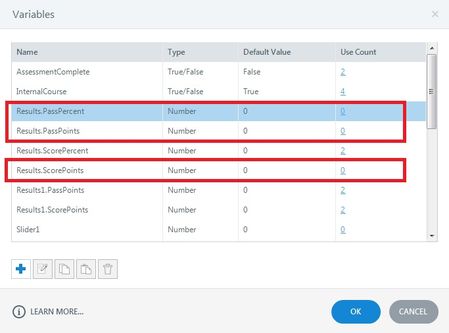
How can I delete unused variables?
- 29 days ago
Hello everyone!
Happy to share that we've just released a new update for Storyline 360!
In Update 118, we've included essential fixes and new features. We've released an enhancement for:
- Remove all unused project variables with one click.
Launch the Articulate 360 desktop app on your computer to take advantage of this update, and click the Update button next to Storyline 360. You’ll find our step-by-step instructions here.
Please let me know if you need additional help.


Hi All!
I'm excited to report that today we released Update 36 (Build 3.36.21213.0) for Storyline 360!
One of the features we've added is the ability to select multiple variables and then copy, paste, or delete them at the same time. Use Ctrl+click, Shift+click, and Ctrl+A to multi-select variables. This new addition is sure to improve your workflow!
Now all you need to do is update your Articulate 360 Desktop app!

Ditto, another huge time saver! Authoring time is getting faster and faster, the new trigger window was huge as well in saving time. Thank you.
Related Content
- 5 months ago