Forum Discussion

How can I delete unused variables?
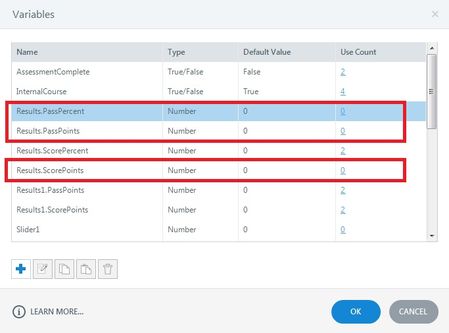
- 29 days ago
Hello everyone!
Happy to share that we've just released a new update for Storyline 360!
In Update 118, we've included essential fixes and new features. We've released an enhancement for:
- Remove all unused project variables with one click.
Launch the Articulate 360 desktop app on your computer to take advantage of this update, and click the Update button next to Storyline 360. You’ll find our step-by-step instructions here.
Please let me know if you need additional help.


Has there been a solution to this in the last five years? A proper and functioning variable management would be great, so we don't end up with hundreds of obsolete variables from old project iterations. :)
As per one previous update from Lauren, the feature has already been implemented in Articulate 360 Storyline, but I'm yet to check it. You may test if you have the 360 Storyline product license.
Related Content
- 5 months ago