Forum Discussion

LearningAppier
1 year agoCommunity Member
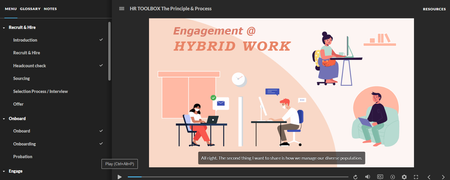
How can I restrict access to a slide or section in Articulate Storyline 360
How can I restrict access to slides or sections in Articulate Storyline 360 until the learner has fully completed the previous section, including watching all content and answering the required quest...
- 1 year ago
you tried setting the menu to restricted?


JudyNollet
1 year agoSuper Hero
LearningAppier : The easiest way to do what you want is to set the Menu to Restricted, as PhilMayor suggested. That's done in the Player Properties.
This post has a demo file with more info about that and other ways to control the Next button: TIP: Controlling the NEXT Button 101 | Articulate - Community
- LearningAppier1 year agoCommunity Member
Thank you JudyNollet and PhilMayor , It is very clear. Thank you for your help.