Forum Discussion

minh_ndemg
11 months agoCommunity Member
How to export video certain frame as picture in storyline 360?
I can not figure out how to export video frame as picture beside the first frame, the control function allowed me to pause the video but does not let me right click on the video to open the "export v...

EricSantos
11 months agoStaff
Hello minh_ndemg,
Thanks for reaching out! I understand that you'd like to export a part of your video as a picture. I recommend the steps below:
1. With the video on the slide, click the Play/Pause button on the timeline, as shown below, until you reach the desired part of the video.
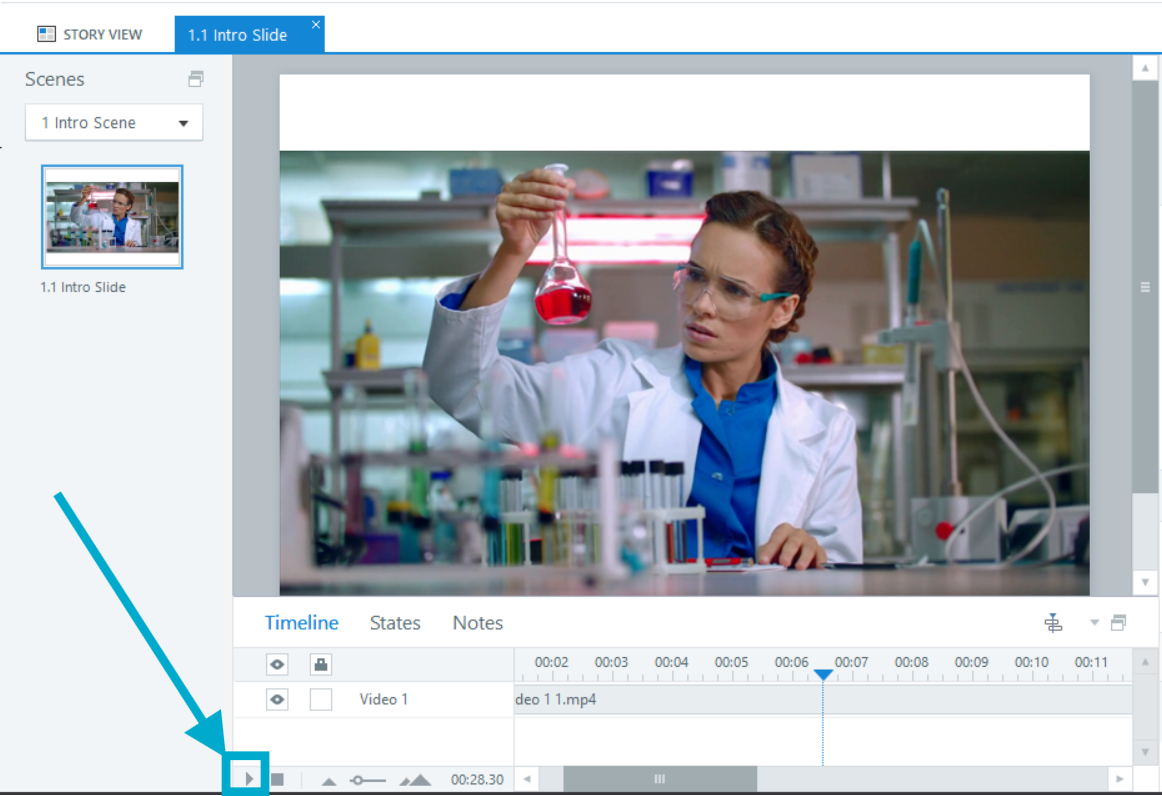
2. Click the Play/Pause button again to pause the video.
3. Right-click the video and select Export Frame as Picture
Let me know how it goes, and I'll be more than happy to assist further.
Related Content
- 10 years ago
- 10 years ago