Forum Discussion

How to link sliders for an interactive budgeting activity
- 1 month ago
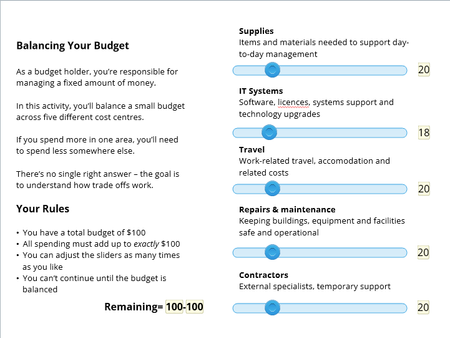
Have a look at the attached example and see if that gets you started. I added triggers to ensure that the remaining budget is recalculated every time a slidervariable changes. If the budget is exceeded, a warning layer is shown and then the slider that was moved last is set to the maximum allowable value. Hope that's what you wanted.

Have a look at the attached example and see if that gets you started. I added triggers to ensure that the remaining budget is recalculated every time a slidervariable changes. If the budget is exceeded, a warning layer is shown and then the slider that was moved last is set to the maximum allowable value. Hope that's what you wanted.
Thank you so much Michael. Exactly what I was looking for. I'm thinking your work might be a good example to post in the Examples section.
Related Content
- 1 year ago