Forum Discussion

How to trigger the movement of a 360 image
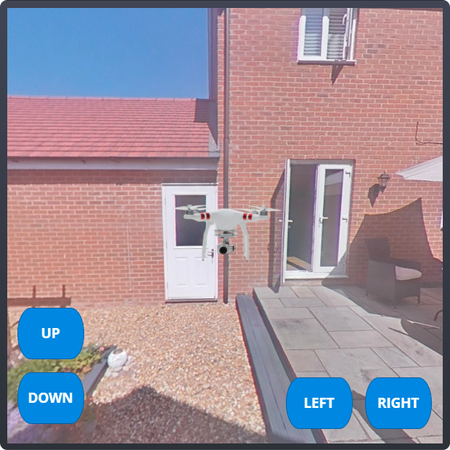

Hey Sam!
This is a really good question. Storyline 360 is able to meet more intricate requirements such as this. Here's an article with some info on how to add 360 images. It also includes a guide on setting up hotspots and navigational controls to provide a seamless experience for users. I hope this helps!
- BrentonDwyer-ed2 years agoCommunity Member
Hey Sam and Aleyah,
I don't believe the article you linked to provided a solution to Sam's problem...
Did you ever figure this out? I am trying to achieve something similar.
As you mentioned, with a static image you can apply triggers to buttons that can move a static image along a motion path. however I can't seem to find a way to use buttons to trigger movement/rotation within a 360image. It appears you can only move around 'within' a 360 image by clicking and dragging the image (on a desktop) which is not the desired outcome.
Is there some sort of variable that we can set/access that will allow us to move around within the 360 image through the use of custom buttons?

Related Content
- 9 months ago