Forum Discussion

RasmusForman
7 years agoCommunity Member
Importing xlf translation file
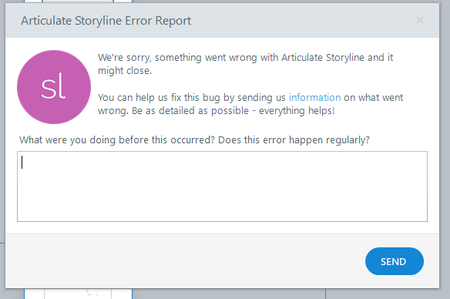
Hello I am having trouble with importing xlf translation file to my project I always get this
when I close this box I get this
But nothing happens.
Is there anyone that knows ...

HuguesLUMIERE
3 years agoCommunity Member
Sorry if I wasn't clear, I guess there are specific criteria that the translation tool needs to consider in order to be compatible with Storyline. Sending my own file will not solve your problem. Anyway, the Storyline technical support should be able to help us depending on these key features required.
- Jürgen_Schoene_3 years agoCommunity Member
I had xliff files that were displayed as ok via xliff validator - and caused a crash when imported into storyline.
I have also asked for a specification for "articulate" xliff files in the context of a support case (03201470) and got no helpfull answer.
my question was:
Is there any written specification for the extra Articulate XML/xliff requirements, which we can send to the translation agency.
articulate answer:
Thanks for clarifying. We're already tracking a feature request that will allow Storyline to show better-detailed error reports/messages. I attached your case to the request so that it will count as a vote. Once reviewed by our teams, perhaps it will be available in a future release. You can refer to this article to know more about our process for handling feature requests:

https://www.articulate.com/support/article/How-We-Manage-Feature-Requests
I should do a feature request !!! - for fixing bugs and creating dokumentation ???
Jürgen

Related Content
- 1 year ago
- 1 year ago