Forum Discussion

Overlapping States
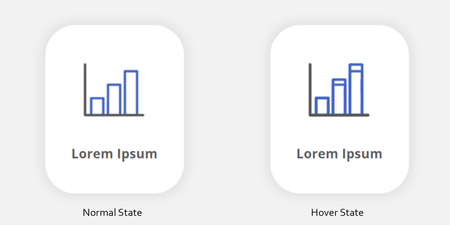

Storyline 360x64 on Windows 11 Pro 24H2 26100.3194 on a new Lenovo P1.
Is there any solution to this? I'm using images+text as buttons with a disabled and hover state.
The hover state pops up, brightens, and gets a shadow.
The disabled state is darkened and has a different text color.
In both cases the "normal" state shows through, giving the darker text in the disabled state a white halo, and leaving a duplicate of the text/image too low in the hover state.
I'm also trying to do a similar affect with a gradient that changes color (no transition set), but the text and Normal gradient show through.
NormalHover in editorHover in Preview, blue tinge to pinkHover in preview with pop-up effectI'll also add that it took me almost an hour to post this because the website kept deleting my progress and few minutes, even after clearing cookies.
- BrettConlon1 year agoCommunity Member
We feel your pain Andrew! Like others have suggested, you can try deleting the NORMAL state and create your own (different named) normal state, which has helped some of us avoid the overlaps, but you need to have triggers set up for anything that's not responding as it normally would.
I, too, hope this will get fixed soon!
- AndrewKrahn1 year agoCommunity Member
Thank you!
How DO I delete the Normal state? It doesn't look like I can either rename or delete them.- BrettConlon1 year agoCommunity Member
Oops, sorry for misleading you. You'll need to work around it by creating your own normal state (name it whatever you please, like "Base" or "Initial" etc). Then set that as the default state and use triggers to move between the different states you have. Just bypass using the "Normal" state.

Related Content
- 5 months ago
- 3 months ago
- 1 year ago