Forum Discussion

Pass Storyline Quiz in order to continue in a Rise 360 Course
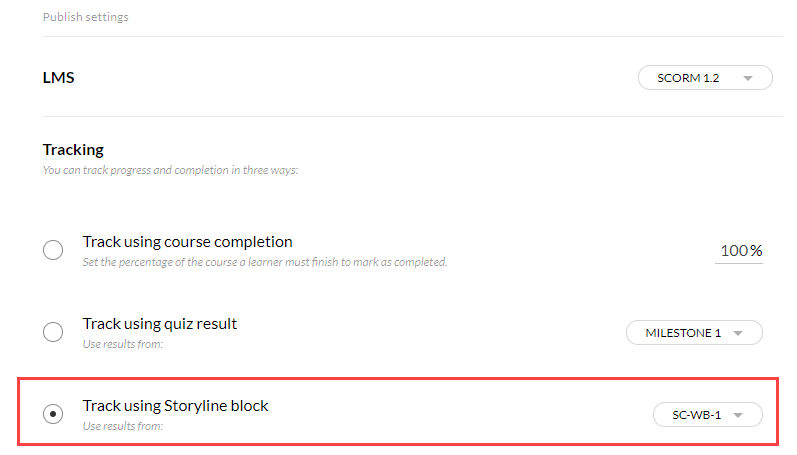

For a Rise course, the tracking option isn't set in SL. It's set in Rise. That's true even if the Rise course has a Storyline block with a completion trigger.
I see your original post said you "imported a storyline quiz." I assumed you meant that you inserted a Storyline block, which is one of the Interactive blocks. To do that, you publish the SL to Review 360, and then select that content when editing the block in Rise. (If you update the SL, you have to republish it, and then re-select it in the block in Rise.)
- Here's the User Guide info about SL blocks: https://articulate.com/support/article/Rise-Use-Storyline-Blocks-to-Embed-Storyline-360-Courses
When your Rise course is ready, publish it for your LMS. Note that Rise only allows one tracking option. In this case, you'd need to track via the completion trigger in the SL block that has the quiz.
Talk with your LMS folks about which SCORM settings you should use.
Related Content
- 2 months ago