Forum Discussion

PowerPoint Lines Import Crooked into Storyline
Hi here is a screen recording of my experience of importing lines from PPT to SL. If I sound frustrated it's because I am down to the wire before I have to go on leave for my infant daughter's heart surgery, and I am realizing that due to this import error, I will not be able to finish this course in time.
Typical timeline for a course import:
- Import
- Manually add narration from Notes on 70 slides
- Manually recreate ALL animations since animations do not import properly from PPT
Now add a new incredibly time-intensive activity:
4. DELETE, REDRAW, AND RECOLOR ALL LINES
All three of these time-consuming steps could be fixed with features in Storyline.
Feature 1: Create voiceover from script off all notes slides at once
Feature 2: Make animation timings import at least staggered on the timeline (like it used to!!!!!!!!!!!!)
Feature 3: make lines import properly
I don't understand why all animations now start at 0:00 on the timeline, when they used to be staggered according to "ON-CLICK" settings. That was WAY more useful than all timeline objects starting at 0:00.
- Frustrated eLearning Lady
1 Reply
Hi rmogollon,
Thank you for taking the time to share the recording and the additional context. I can appreciate how frustrating this must be, especially with a deadline approaching.
I recognize some of the concerns you've raised regarding PowerPoint animation imports and timing preservation. I see that you previously worked with our support team on this behavior, and your feedback regarding animation timing preservation and PowerPoint import workflows was shared with our product team. Thank you for continuing to share how these limitations affect your projects.
The line-import behavior shown in your recording appears to be a separate issue. Since the lines appear straight in PowerPoint but become distorted after importing into Storyline, we'd like to take a closer look. I tested a similar scenario in the latest version of Storyline 360 and wasn't able to reproduce the behavior on my end. I've included a screenshot below showing lines imported from a PowerPoint slide in my test environment for comparison.
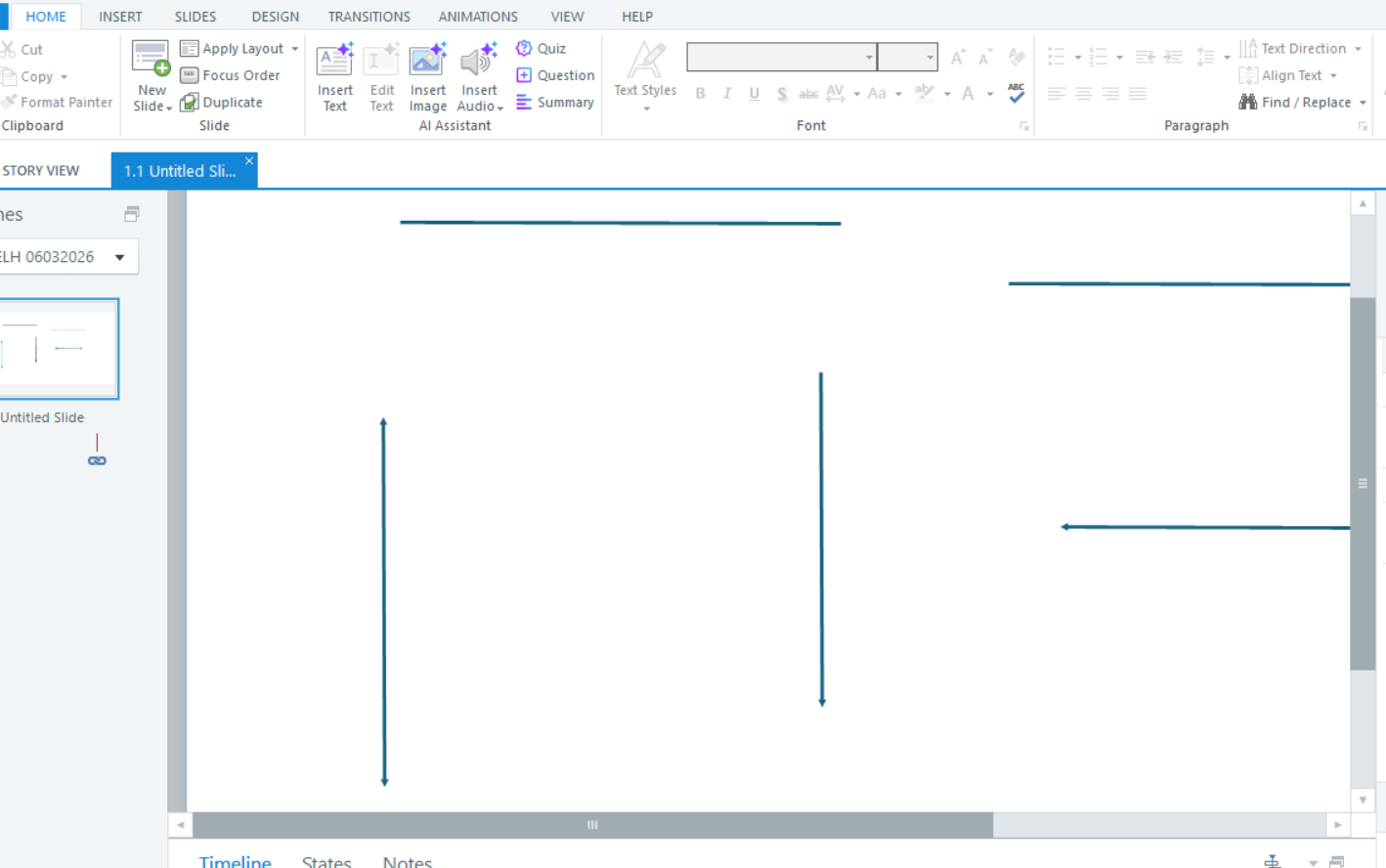
As a first step, I'd recommend repairing your Storyline 360 installation to rule out any installation-related issues. If the behavior persists, please let us know which version of Storyline you're using and, if you're willing to share the PowerPoint file privately, you can upload it here.
Our team can review the file and investigate whether there's something specific causing the lines to import incorrectly.
Regarding your request to generate voiceover from speaker notes across multiple slides at once, I've shared that feedback with our product team. I can see how a bulk voiceover-generation workflow would save significant time when working with large PowerPoint imports and slide decks.

Related Content
- 28 days ago