Forum Discussion

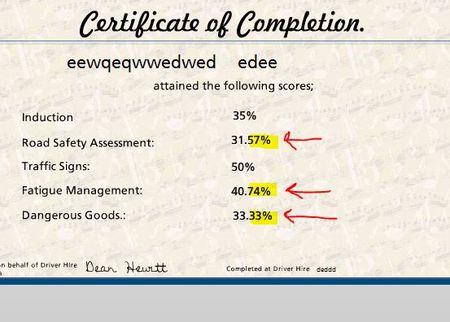
Results Slide Percent no Decimal Points
- 1 month ago
Hello everyone,
I have some great news to share! We just released another update for Storyline 360. In Update 112, we’ve included essential fixes and new features. One of the new features we’ve included is:
- Simplify reporting with a built-in option that rounds quiz scores to whole numbers.
Launch the Articulate 360 desktop app on your computer to take advantage of this update, and click the Update button next to Storyline 360. You’ll find our step-by-step instructions here.
Please let me know if you need additional help.


I found this thread while looking for a solution to the same problem.
What I did:
1. Insert a numerical variable called myScore
2. Insert a trigger on the results slide adjusting myScore to the value of the Results.ScorePercent.
3. Insert a new trigger to Execute JavaScript when the timeline starts
4. Click on the … button, and insert the code below into the panel that opens
var player = GetPlayer();
var score = player.GetVar("myScore");
player.SetVar("myScore", Math.round(score));
5. Now edit your Results slide text to display %myScore% instead of %Results.ScorePercent% as below.
Job done :)
Tony C

This is beautiful! Thank you!