Forum Discussion

SCORM Compliant PDF - Track read, review acknowledgement
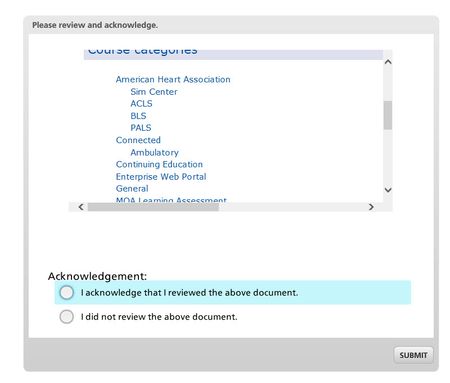
image showing htmlSample folder created with index.html website file created and a 2013pa40.pdf
Image showing the index.html file created (used frontpage here :( )
image showing filename2 after pasting in the htmlSample folder (that contains the index.hml and PDFs).
Image showing web object created on T/F slide. Note you must publish the story file without zipping first, then add the web object and navigate to the newly created folder with index.html and PDFs, then save the story file and publish with filename 2 and copy and paste the created files from filename1 into filename 2, then zip, then upload to lms as SCORM.
Image of webpage displaying in web object with acknowledgement
image showing the pdf opening within the web object. user can view, print, maybe even submit a pdf fill in form, etc. then submit that they acknowledge understanding, etc.
Sorry if my instruction aren't the best, it has been a long week and I'm ready for the weekend so I rushed this response a bit. If you get stuck contact me. tkuhn1@hmc.psu.edu or via this forum.
hope this helps, Tim
Related Content
- 1 year ago