Forum Discussion

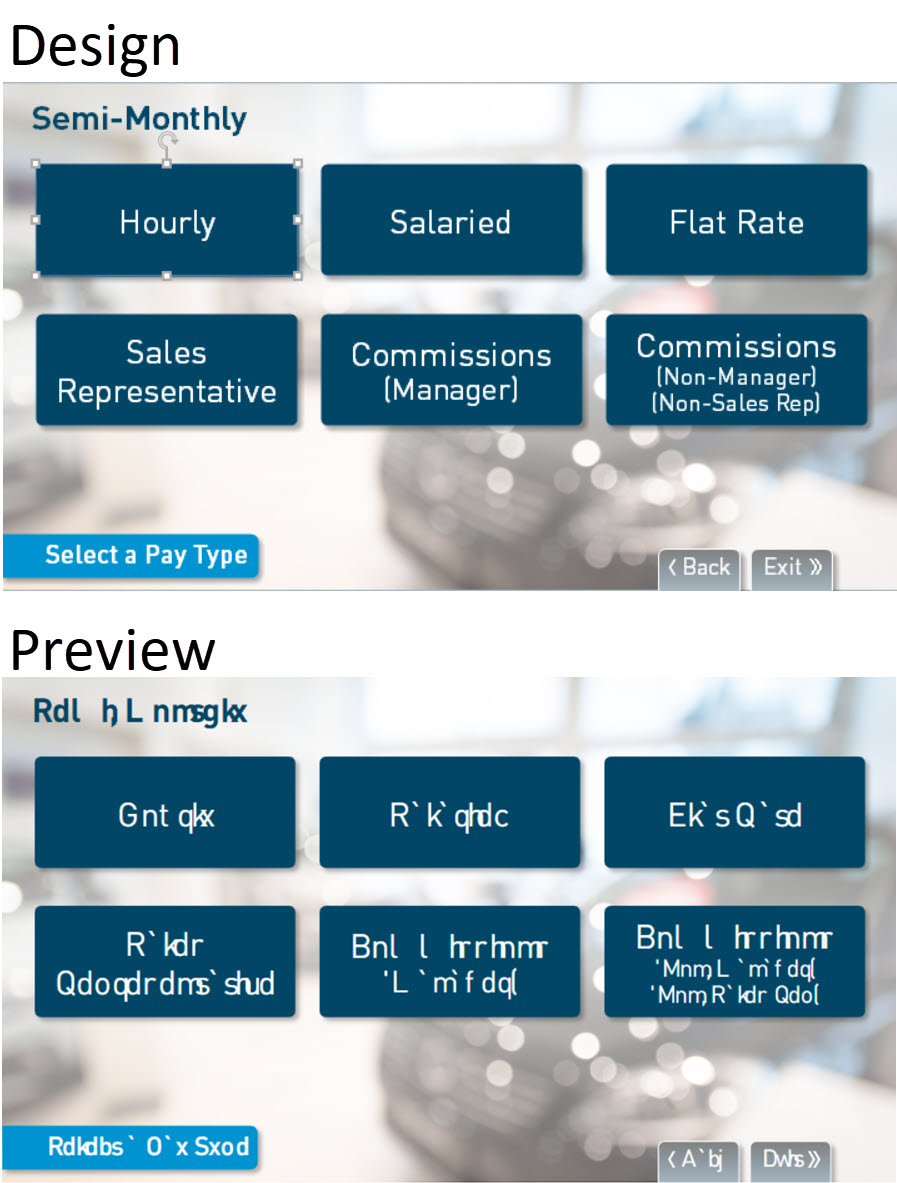
Scrambled font in Preview/Publish

Hi, George.
Thank you for the screenshot, and I am sorry you are experiencing this issue with your font!
Let's try to narrow down the issue: have you tried enabling or disabling Modern Text?
You can disable it by going to the Design tab, clicking the Fonts drop-down menu, and checking or unchecking Use Modern Text at the bottom of the list.
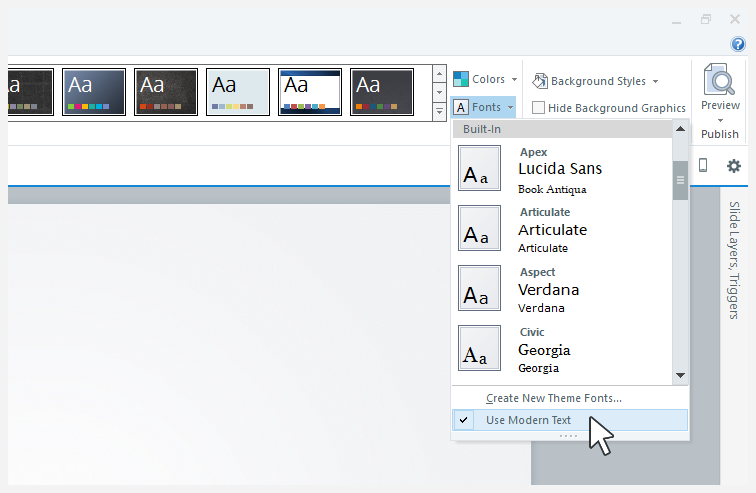
Let me know if that works!
- GeorgeBriggs-295 years agoCommunity Member
Hi Maria,
Thanks for the quick response!
This morning, checking Use Modern Text fixed the font display issue in Preview, but here's what's odd.
Yesterday, when I first opened a SL2 file in SL360...which upgraded the file...I checked the Use Modern Text option, and it was grayed out, not selectable and not checked. I tried replacing our corp font with Arial, still grayed out, replaced Arial with corp font, still grayed out.
After posting my issue last evening, I closed out of SL.
Just now I launched SL, opened a new project and checked the Use Modern Text option, and it's now available to check/un-check. I closed the new project without saving and opened the upgraded SL360 file from last night. That's all I did between last night and today. Now the Use Modern Text option is available in this file, so I checked it...and the corp font displays properly in Preview.
Since I'll be opening/upgrading a number of SL2 files to SL360 for republishing in HTML5-only, is there anything that will prevent the disabling of the Use Modern Text option?...or any fix that can be applied?
Thanks for your help!
- kareemzayed5 years agoCommunity Member
Thank you for your support and attention.