Forum Discussion

Scrambled font in Preview/Publish
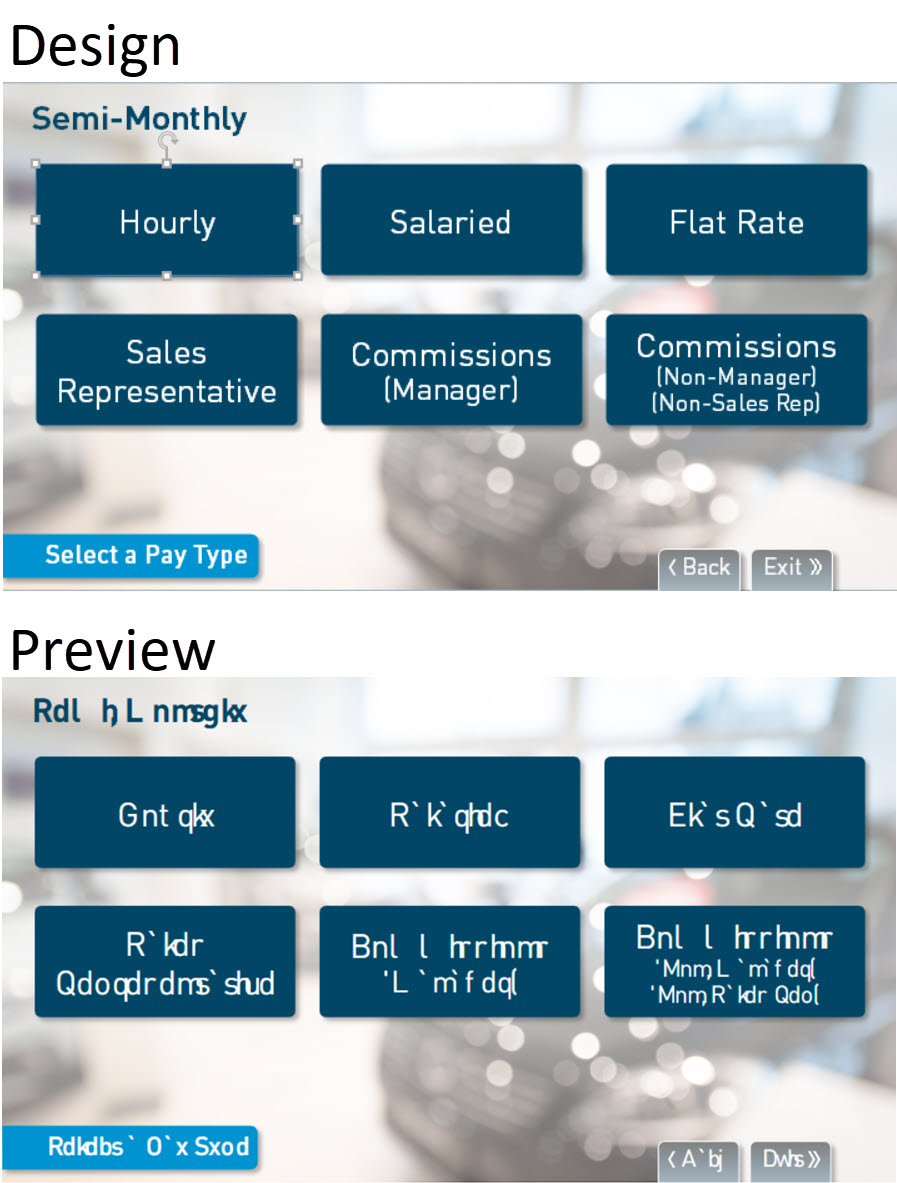

Hi, George.
Thank you for the screenshot, and I am sorry you are experiencing this issue with your font!
Let's try to narrow down the issue: have you tried enabling or disabling Modern Text?
You can disable it by going to the Design tab, clicking the Fonts drop-down menu, and checking or unchecking Use Modern Text at the bottom of the list.
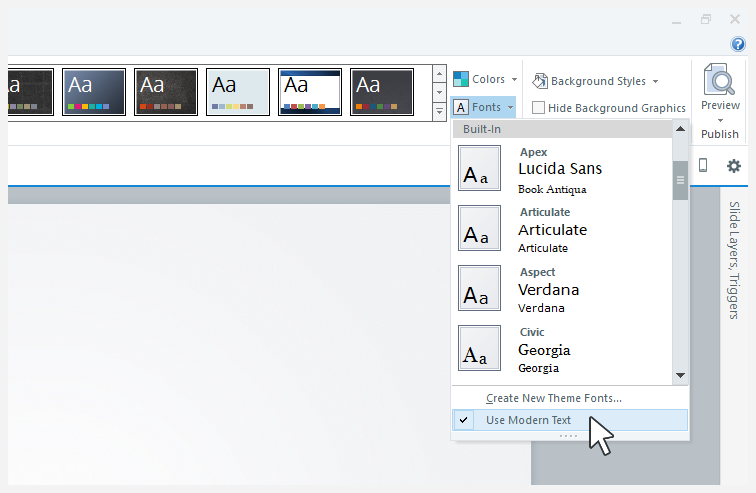
Let me know if that works!
Hi Maria,
Thanks for the quick response!
This morning, checking Use Modern Text fixed the font display issue in Preview, but here's what's odd.
Yesterday, when I first opened a SL2 file in SL360...which upgraded the file...I checked the Use Modern Text option, and it was grayed out, not selectable and not checked. I tried replacing our corp font with Arial, still grayed out, replaced Arial with corp font, still grayed out.
After posting my issue last evening, I closed out of SL.
Just now I launched SL, opened a new project and checked the Use Modern Text option, and it's now available to check/un-check. I closed the new project without saving and opened the upgraded SL360 file from last night. That's all I did between last night and today. Now the Use Modern Text option is available in this file, so I checked it...and the corp font displays properly in Preview.
Since I'll be opening/upgrading a number of SL2 files to SL360 for republishing in HTML5-only, is there anything that will prevent the disabling of the Use Modern Text option?...or any fix that can be applied?
Thanks for your help!
Related Content
- 12 months ago