Forum Discussion

Setting state when revisiting foe multiple slides
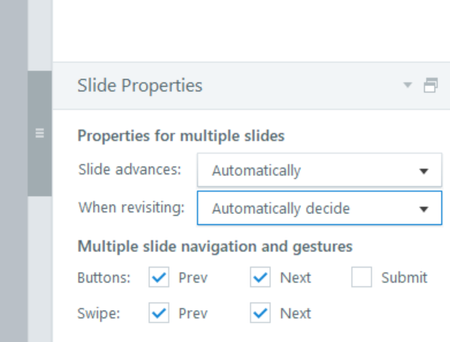
Well, it worked for a little while, and now the issue is back. A nice time-saving feature that once worked, hope they can get this figured out.
- EricSantos6 months agoStaff
Hi BarryHollembeak,
Thanks so much for sticking with this and for sharing all the details along the way. I can understand how frustrating it is, especially since this is a feature you rely on and it’s been working inconsistently.
Also appreciate you jumping in here as well, JudyNollet, and for sharing what you’ve seen.
I did some testing on my end using the latest version of Storyline and wasn’t able to replicate the behavior when adjusting Slide Properties across multiple slides in Story View.
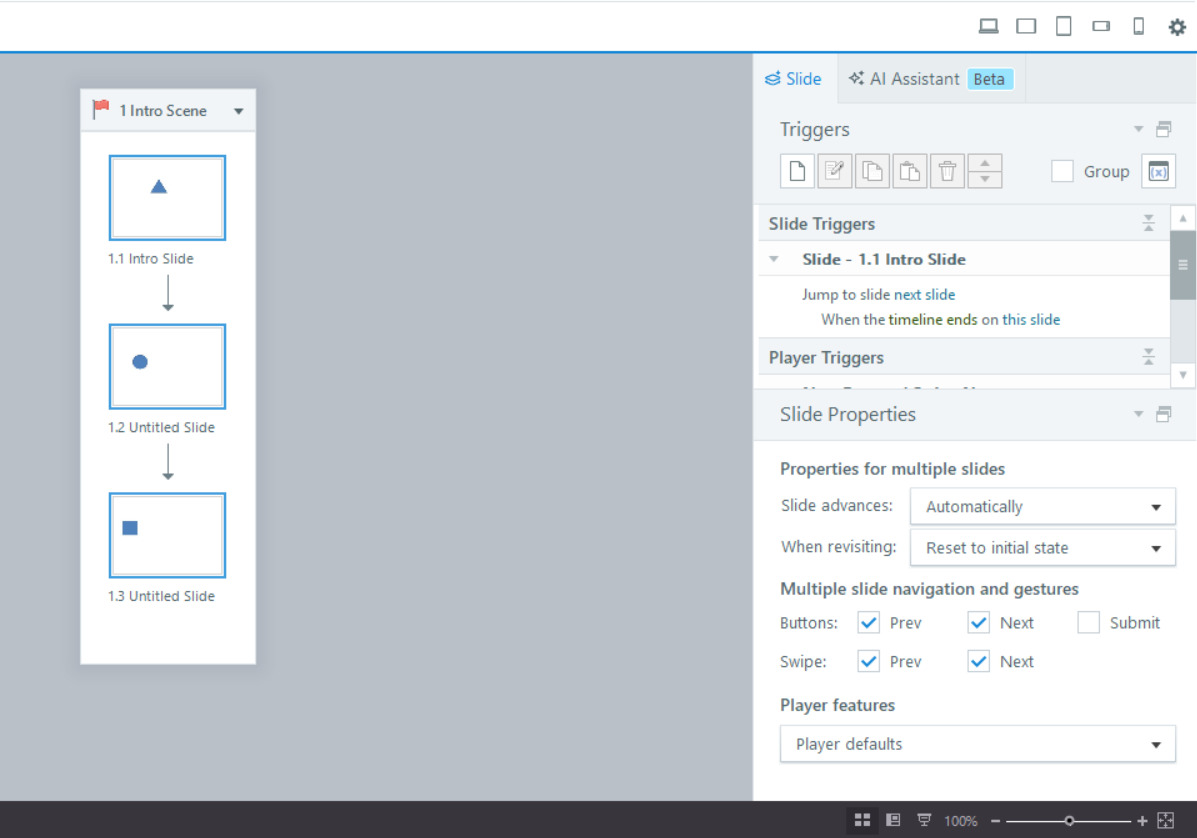
Since this seems to be inconsistent and was temporarily resolved at one point, there’s a chance it could be related to a local installation or environment-specific issue. I recommend trying the steps in this article, which walks through clearing local user data for Articulate 360 apps:
If the issue continues after that, please connect with our support team by creating a case so we can investigate further with you.
Thanks again for raising this and for your patience while working through it. It’s really helpful for us to understand what you’re experiencing.
- JeremyKauffman15 months agoCommunity Member
I'm hopping in to resurrect this thread, as I have had this issue for a while and it finally got to where I needed to search for a fix. I'm on v 3.116.36776.0, the 04/28/2026 release, but I've noticed (and had been grumbling about / ignoring) for at least a month across different project files and a couple of updates.
To be specific, the When Revisiting property doesn't work when multiple slides are selected. (I saw another comment about the navigation/submit buttons, and those check boxes actually are working for me.)
EDIT: I was slightly mistaken. When Revisiting doesn't work in Story view at all - not just when selecting multiples. I have to open a slide and then walk through each thumbnail down the film strip to change this property.
Bummer that the issue isn't seen consistently in order to facilitate a fix.
- EricSantos5 months agoStaff
Hi JeremyKauffman1,
Thanks for jumping back into the thread and sharing those additional details.
I did some testing on my end in both Storyline Build 3.115 and 3.116 and wasn’t able to reproduce the behavior you described with the “When Revisiting” property in Story View.
Since you’re continuing to see this across multiple projects and updates, I’ve gone ahead and opened a support case for you so our team can take a closer look at your setup and investigate further.
In the meantime, if you haven’t already, it may also help to run a quick repair of your Storyline installation to rule out any local installation issues.
You can expect someone from our support team to reach out shortly, and we’ll continue troubleshooting with you there so everything stays in one place.


Related Content
- 2 months ago
- 3 years ago