Forum Discussion

Shape shifts on top in the Duplicate Group
Hi Articulate Team,
If I duplicate a group then shape in that group shifts to top layer and hide other elements in the group! This is causing manual re-work.
In the earlier versions of Storyline 360 this was working flawlessly!
Please check the attached sample file.
Thanks,
Vivek
1 Reply
- EricSantosStaff
Hi Vivek_S,
I can see why this would be frustrating, especially if it’s adding extra rework to your process.
I tested this on my end using the following steps:
- Click the grouped shape
- Press Ctrl + C to copy
- Click anywhere on the slide
- Press Ctrl + V to paste
In my test, the duplicated group maintained its layer order and worked as expected. Please see the screenshot below for reference.
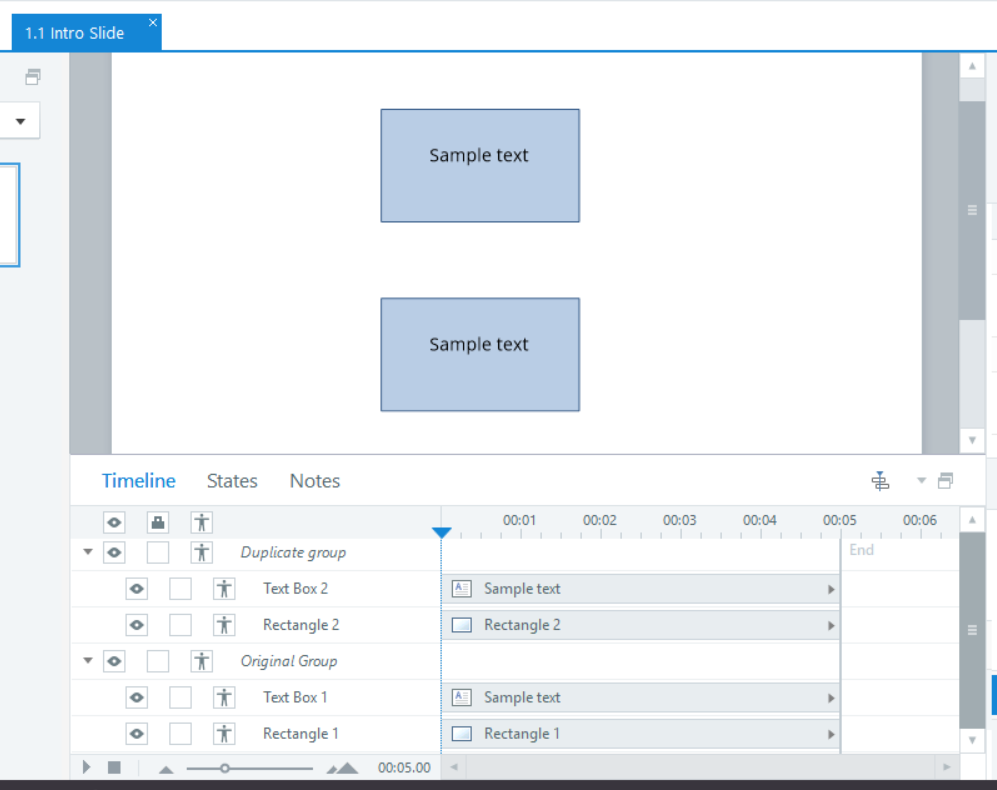
Could you try these same steps on your side and see if the behavior is the same? If the issue continues, you can also try uploading the file again here or share it privately in a support case so the team can take a closer look.

Related Content
- 10 months ago
- 1 month ago
- 1 year ago