Forum Discussion

MichaelWest
2 years agoCommunity Member
Storyline 360 Quiz Feedback: How to get rid of overlapping text button on slide layer
So I have a hotspot-based quiz comprising about 50 slides. The idea is that a user will advance to the next slide if they select the correct hotspot. They have 2 chances to get it right. After a 2nd...

JudyNollet
2 years agoSuper Hero
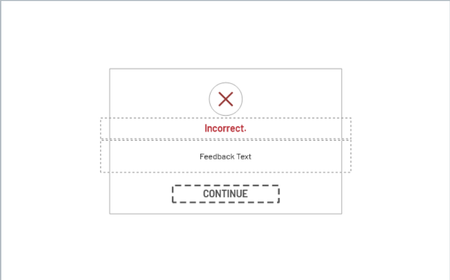
It sounds like the program is adding the default "Continue" button even though you deleted it from the Feedback Master Layout. That may be a bug (or a "feature" for those who delete it from the master but still need it on the feedback layers).
It's best to use the default "Button" on the Feedback Master Layouts. When the layout is used, the program automatically updates "Button" to "Continue" (or to whatever text is in the Player's Text Labels).
You can redesign that default button on the Feedback Master Layout:
It will appear with the new formatting, as well as with the appropriate label, when a slide uses that layout.
Related Content
- 12 days ago
- 10 months ago