Forum Discussion

Text shadow in Selected State
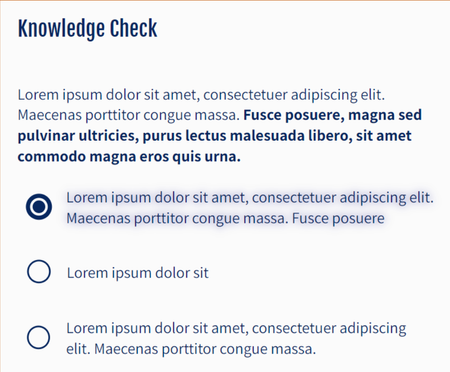
Thanks Steven!
I think I fixed it. For some reason, the text box created its own selected state. It doesn't need a state because the circle has the hover and selected states, not the text box. The text box and the circle are grouped so the user can select the text box or circle to answer the question. Once I deleted the selected state on the text box, the shadow went away. Don't know why Storyline created the text box selected state.
To answer your questions:
It happens in Preview and when published to LMS
I updated my Storyline. Our Storyline updates require a call to IT and 30 minutes of trial and error. This time it took 2 hours. But it is otherwise working.
I only use a local network drive. Agree: Too slow and too squirrelly on a network drive.

If you group an object and then add that as your object to a question slide all objects inside a group will get a selected state.
You will need too be careful with accessibility as you will need to add the text to the group and delete all the separate objects from the focus order.
Related Content
- 10 years ago
- 2 years ago