Forum Discussion

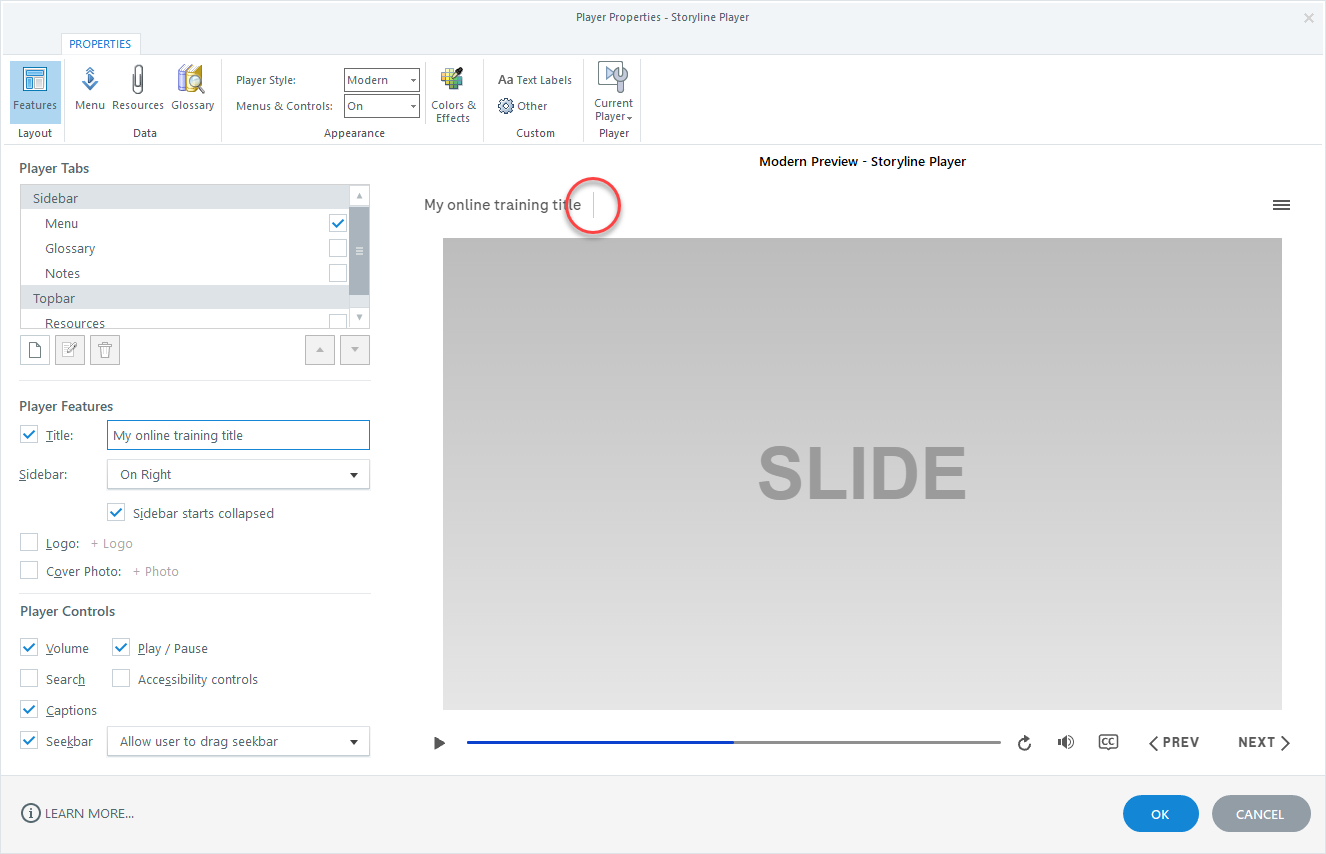
The training title ends with a vertical bar -> |
Articulate 360 automatically draws a thin vertical line after the training title (see screenshot).
How can I delete this vertical line?
If I put the "sidebar" on the left side, then the line is hidden. But I want to place the menu on the right side.
Can someone help?
Thanks in advance.
6 Replies
- DanielCanave618Community Member
It’s not clear from your screenshot, but do you have anything else slotted in the Topbar section of the Player Tabs (regardless if it’s on or off) ?
- MikeRamoneCommunity Member
Thanks for your answer
No, nothing extra has been added to the "Player Tabs". Only the "Menu" in the "Sidebar" is activated and nothing is activated in the "Topbar".
I hope that the new screenshot brings a little more clarity.- DanielCanave618Community Member
Good!
Ok, so after applying the Player settings you have into a project and publishing it out to web, I used Google Chrome's inspector to isolate the problem. Turns out to be the border-right attribute tied to the .presentation-title .top-tabs-line found within the desktop.min folder
To delete this attribute, follow the path html5 > lib > stylesheets > desktop.min, then open the desktop.min folder with Notepad (or another code editing tool):
Once in Notepad, initiate a search (Ctrl+F) for .presentation-title .top-tabs-line. Once found, simply delete the border-right attribute, then File > Save your changes.
Launch the story file and you should be all set!
- MariaCSStaff
Hi, Mike.
Thank you for reaching out! It sounds like you've encountered a bug we've reported to our team:
A vertical line appears on the title when Previewing/Publishing the file
While I don't have any updates on a fix, the current workaround would be to change the Sidebar to the left side.
Check out this article for additional information on how we identify and tackle bugs. We will keep you updated on any new developments!
- MikeRamoneCommunity Member
@Maria Thank you for the information regarding the bug.
@Daniel Many thanks for the detailed instructions - great service 👍
I'll try this later.- DanielCanave618Community Member
Happy to help where I can! Do remember to only delete that which falls between the ; and the }.
So in this case, you'll be left with
.presentation-title .top-bar-line (left:0;top:0;height:100px;width:13px;z-index:9);}


Related Content
- 8 months ago
- 3 years ago