Forum Discussion

sherbivore219
9 months agoCommunity Member
Trigger not working as expected
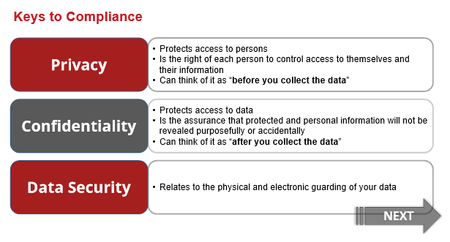
New-ish Articulate user. I am having trouble with getting a trigger to activate on this slide.
What should happen:
User clicks the 3 word boxes, which opens their definitions.
Once all the ...
- 9 months ago
On the trigger that changes the state of the Next button, try setting the condition to "When the state of all the rectangles is NOT HIDDEN.

sherbivore219
9 months agoCommunity Member
Thank you, this worked.
Would you be able to explain to me why it needed to be "is not hidden" vs. "is normal"?

JudyNollet
9 months agoLegend
sherbivore219: All the built-in states are based on the Normal state. As Walt Hamilton used to say, those states are like us in that they all think they're Normal even when they're not. 😆
Thus, instead of "= Normal," it's a good habit to trigger based on an object not being a different state: e.g., when object(s) ≠ Hidden, when object(s) ≠ Selected, when object(s) ≠ Visited.
Related Content
- 10 years ago
- 6 months ago