Forum Discussion

Triggers are not working when revisiting a slide
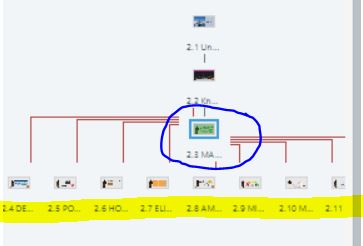

It's hard to troubleshoot this sort of problem without seeing the .story file. But I'll give it a try:
A "when variable changes" trigger will only run if the variable change happens on that slide. So that won't work for your situation.
A "when the timeline starts on this slide" trigger will run whenever the user visits the slide. That's true even if the slide is set to "Resume saved state. And that's why such a trigger usually needs conditions.
Since your trigger isn't working, here are some things to check:
- Be sure the trigger is set to run when the timeline starts on the slide (not on an object on the slide).
- You're using a number variable in the condition. On the main slide, add a text box with the variable reference. If its value is not 9 when you think it should be 9, double check the triggers that adjust the variable.
Personally, I wouldn't use a number variable in that situation. If a trigger adds 1 to the variable every time a user visits one of the "yellow" slides, the variable could reach 9 if they visit one slide 9 times.
I suggest using T/F variables. Use a separate variable to track completion of each "yellow" slide. Start with a default value of False. Change the value to True at when the "yellow" slide is completed (however you define that).
On the main slide, trigger the action you want when the timeline of the slide starts with the conditions that every variable = True.
If none of the above helps, I suggest you create a .story file that can be uploaded.
- Only include slides that are related to the problem.
- Be sure objects, layers, motion paths, and variables have meaningful names.
- If there is proprietary content, replace or delete it. For example, replace proprietary text with “ipsum lorem” text.

Thanks for your reply :) The piece of information "A "when the timeline starts on this slide" trigger will run whenever the user visits the slide. That's true even if the slide is set to "Resume saved state. And that's why such a trigger usually needs conditions." was exactly the reason why it was not working.
I was setting a state to change when a variable changed, but that variable was changing in a different slide. Therefore, I just changed that trigger to change state when timeline starts on this slide if my variable equals to 9. The number variable is working just fine :)
- JudyNollet1 year agoSuper Hero
You're welcome! I'm glad you got it working. Pay it forward when you can. 😊
Related Content
- 10 years ago
- 3 months ago