Forum Discussion

Unable to sign in
- 7 months ago
Hello everyone,
I have good news to share! We monitored our systems overnight, and they’ve remained stable. This issue is resolved. Thanks so much for your patience.
If you run into any issues using Articulate 360 going forward, please let us know.

Hello everyone,
I have good news to share! We monitored our systems overnight, and they’ve remained stable. This issue is resolved. Thanks so much for your patience.
If you run into any issues using Articulate 360 going forward, please let us know.
- grainneflann0084 months agoCommunity Member
Hello
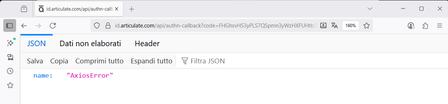
I am having the exact same issue today when trying to open the articulate desktop app. (axios error)
I can sign in no problem using the web browser but Storyline does not recognise that I am already signed in - have been going around in circles here for an hour - is really irritating. This is not fixed for me - please let me know how to solve
- StevenBenassi4 months agoStaff
Hi grainneflann008!
Sorry to hear you're having trouble accessing the Articulate 360 desktop launcher!
I understand how frustrating it can feel to get stuck in a sign-in loop. Even though you can sign in successfully through your browser, the desktop app uses its own embedded authentication flow. This process relies on embedded web requests (Axios) and access to specific Articulate authentication domains. If any of those are blocked, the browser login will succeed, but the desktop app will fail.
First, please try fully closing Articulate, and resetting the local session:
- Quit the Articulate 360 Desktop App.
- Open the Windows Task Manager.
- End these processes if present:
- Articulate 360.exe
- Storyline.exe
- Articulate Service Host
- Reopen the Articulate 360 Desktop App and try signing in again.
However, if the error persists, it's possible that certain Articulate domains must first be configured. You may need help from your IT team on this. Please have them check if port 443 is open. If not, ask them to open port 443, and the domains in this article to your organization's 'allowlist'.
Let me know how it goes!


Related Content
- 1 year ago