Forum Discussion

BridgitteLi
1 year agoCommunity Member
What's wrong with my Slide Master??
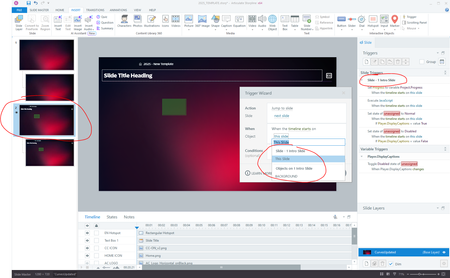
HELP! I've never experienced this with my Slide Masters before, but this morning my template basically broke.
As you can see in the image below, I am trying to add a trigger to Slide Master 2. H...

elizabeth
1 year agoPartner
That's not Slide Master 1. That's the first slide (Slide 1) in the current slide master. The reason it has a "2" next to it on the left side of your screen is because you have two slide masters in this project.