Forum Discussion

Zoom Picture *and* objects/shapes?
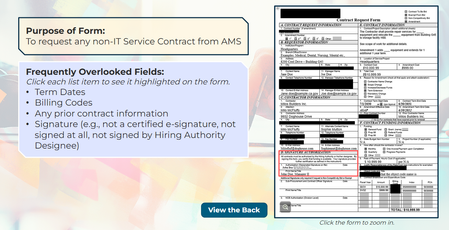
Hi, Nedim. Thanks for your insight. You are correct about the setup; it's a single image with several highlights that correspond to the list items on the left. I'm not necessarily looking to zoom on each individual highlighted area. I would be ok with zooming in on (a version of) the document with all highlights visible.
It seems that there is not a way to click to zoom in on the image and also have it display something with the highlights hardcoded (e.g., zoom + change state).

Yeah, it doesn’t look like there’s a built-in way to use the “Zoom Picture” feature to swap or display a different image state instead of the original image without additional custom coding.
The “Zoom Picture” feature uses the original image and references it outside the slide container, applying a slight scale transform as a visual zoom effect. It does not support dynamically replacing the image source or mapping different image states during the zoom interaction.
This can be achieved using multiple images, as shown in the example in my previous post, with a small JavaScript snippet to modify CSS. However, building a fully custom “state-based zoom image system” purely with JavaScript is usually not worth the effort.
Related Content
- 10 years ago