Forum Discussion

Multiple videos on one slide
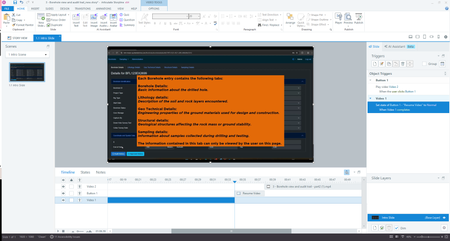

Here is a closeup image of the triggers on your slide:
You don't need a trigger to change the button to Normal when the video ends. An object appears at its starting point on the Timeline. (Be sure the button has an Initial State of Normal.)
I suggest you do this:
- Add a cue point right before Video 2.
- Add a trigger that pauses the timeline when the timeline reaches the cue point.
- Edit the button's trigger so it resumes the timeline when the user clicks the button.
Another option would be to put Video 2 on a layer, and show that layer when the user clicks the button. You could even put each video on its own layer. (For info about how to ensure the user views layers, see the demo file in this post about controlling the Next button.)
For future reference, this Exchange Best Practices section is for general questions about eLearning. You’re asking how to do something in the software. That type of question is a better fit in the Discuss Articulate Products section of the website. That's where those of us who regularly answer questions about how to use the software spend more of our time. And that's where more folks go to search for answers specifically related to Storyline, Rise, and other parts of Articulate 360.
Related Content
- 2 months ago
- 1 month ago
- 1 year ago