Forum Discussion

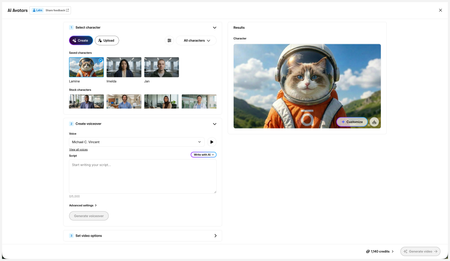
New in Labs: AI Avatars
- 2 months ago
Hi everyone,
We’ve just released a few exciting enhancements to AI Avatars, and we’d love for you to check them out! Here’s what’s new:- AI Avatars in Custom Blocks
- AI Avatars in Storyline 360
- References
- Use References to guide character generation with your own visual assets. This is now available in the Create and Customize Character workflows.
- Quick Prompts
- Choose from prebuilt prompts for style, framing, presentation, pose, environment, clothing, and expression. Available in the Create and Customize Character workflows.
- Tips
- A new Tips icon is now available in the Create and Customize Character workflows to help you get even better results.
- Delete and Rename Saved Characters
- Keep your library organized by renaming or deleting saved characters.
- Upload Character
- Upload your own character to your Saved Character library.
- Download your Avatar Video
- To download your avatar video, click play, then select the Download icon in the lower-right corner.
As always, we welcome any feedback! You can share that here in this discussion, or use this feedback survey link!


JoanneChen , great suggestion!
We are also looking forward to such option which gives a lot more possibility.
Would you please be so kind and share this case which you mentioned? ("...like what Tom did in a video with the pen avatar and the robot...")

Hi DK-ZG,
I was inspired by TomKuhlmann's demo (https://lnkd.in/gBtZitVN) and thought a conversational video would be very useful. Thanks to KellyAuner for explaining the secret behind Tom’s video. I figured out a workaround as below to avoid showing the listener’s mouth, and it works.
Conversational video create in Rise AI Avatar
Related Content
- 3 months ago
- 5 months ago
- 5 months ago