Forum Discussion

New in Labs: Connected Packages
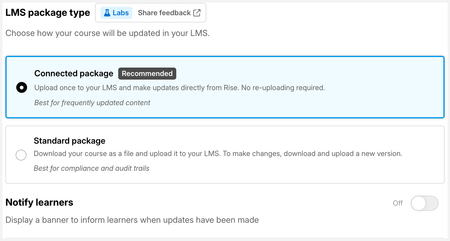

How do you reset a course if you've already downloaded and used the connected package in one LMS course but you want to use it in another course that shares the same content? If you lost the original connected download SCORM or your colleague used it, you'd want to be able to create a new, or duplicate version, and start again?
This screenshot shows a course before you create a connected package (Key word Recommended)
This screenshot shows a course after you have created a connected package (Key words Previously exported)
Once you've created the connected package the only download option is to update.

MITOLearningDes There are two spots where you can re-download the connected package noted below. Please let me know if I didn't understand the use case properly.
At the top of the publishing page, there's a "Download Package" button.
In the Publishing drop-down, the Connected Packages option has a "Download again" link.
Related Content
- 6 months ago