Forum Discussion

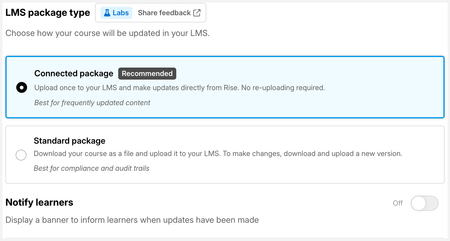
New in Labs: Connected Packages

Hi,
We are so excited about this feature! This would make our live a lot easier, since we regularly (have to) update our courses.
I've tested it with my own LMS (Rise Up) and it works as a charm. But then, I tested it with our client's LMS (SAP Success Factors), and she does not see the update. I've also tested it on SCORM Cloud, and there are no updates there either.
Is this normal? Does it only work with an LMS in the same environment as the Rise author?
- OpforArticulate1 month agoCommunity Member
In both tests, the learner completed the course (since it is so short for testing purposes :-)
- LucianaPiazza1 month agoStaff
Hello OpforArticulate,
Thanks so much for testing this across multiple LMSs and for sharing what you found! I'm glad to hear it's working as expected in your LMS Rise Up.
Since Connected Packages are designed to work with any SCORM-compliant LMS, including SAP SuccessFactors, we'd love to better understand what's different in this scenario.
A few questions that would help us narrow it down:
- When you published the update, did Rise confirm that the Connected Package update completed successfully?
- In SuccessFactors and SCORM Cloud, did you completely close the course and relaunch it after publishing the update?
- What kind of changes did you make to the course (for example, text edits, adding/removing lessons, quiz changes, etc.)?
- Is the same Connected Package file being used in all three LMSs?
Looking forward to hearing from you!
- OpforArticulate1 month agoCommunity Member
hi LucianaPiazza ,
Thank you for picking this up so quickly!
I would say yes to questions 1, 2 and 4, since it all worked in my own LMS, which is in my own environment. My client started over the entire course, refreshed the page several times on her end, waited for an hour (sometimes changes in SuccessFactors are only pushed in batch) and erased all the learner's history, but she kept seeing only the original course.
As for the changes: I added a lesson and moved content from one lesson to the new one. After reading here through the comments, I also activated Reset progress and tried again on SCORM Cloud, but that did not help. On the other hand, I did see the last changes in my own LMS Rise up.
Actually, I don't think it's LMS related. It's as if there is no connection with the SCORM I sent to my client. Or uploaded in SCORM Cloud.
- catganim1 month agoStaff
Hey OpforArticulate Thanks for trying this out and reporting the issue you experienced. Do you recall if you clicked "update" after making changes to the course?
Noting a few places below where this happens. If you didn't click update, that's the culprit, if you did then I would need support to grab the URL for the course from inside Rise from you so we could look into it.
If you've made edits to the course, you'd see the orange dot indicator in the publish menu, like so:
If you click the "view updates" button above, this pop-up opens and provides a quick way to update:
If you click onto "Connected Package" from the publish menu, you'd also see an update button at the top of the course:
- OpforArticulate1 month agoCommunity Member
Hi catganim,
Yes, I did click on Update, since I see all the changes in my own LMS :-)
As you can see on the attached images I just took, the 'original' course still appears on SCORM Cloud, whereas the updated course appears in Rise Up as it should: updated with a third lesson.Screenshot from Rise Up:
Screenshot from SCORM Cloud:
But I tested it again. I activated the "Reset progress" toggle before publishing, but on SCORM Cloud, my progress is not reset: I keep starting where I left off.


Related Content
- 6 months ago