Forum Discussion

New in Labs: Connected Packages
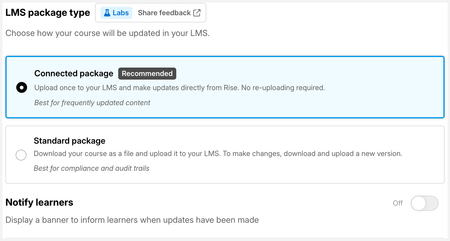

We have been noticing that when you are updating a connected package it sometimes doesn't 'update'. Depending on which method you use to update the package if you don't receive a 'notification' we advise doing it again until you get a successful confirmation notification. (See notification images below)
- catganim27 days agoStaff
Thanks for sharing this, we have a small number of reports of updates not confirming on the first attempt, and we're investigating, but we haven't pinned down the root cause yet, so we don't have a fix to share right now.
Your workaround is the right call for now: if you don't receive a confirmation notification, retry the update. Once you see the confirmation, the update has gone through.
If you're able to share details about which update method you're using (the in-editor prompt vs. going through Publish → LMS → Connected Package), that context would be helpful as we dig into this.
- MITOLearningDes25 days agoCommunity Member
Hi we only use the *Publish → LMS → Connected Package* method to update connected packages. This method remembers the previous update settings so this helps with consistency. Plus the full screen confirmation that the update has been successful is very helpful.

Related Content
- 6 months ago