Forum Discussion

Floating Avatar for Rise and Storyline
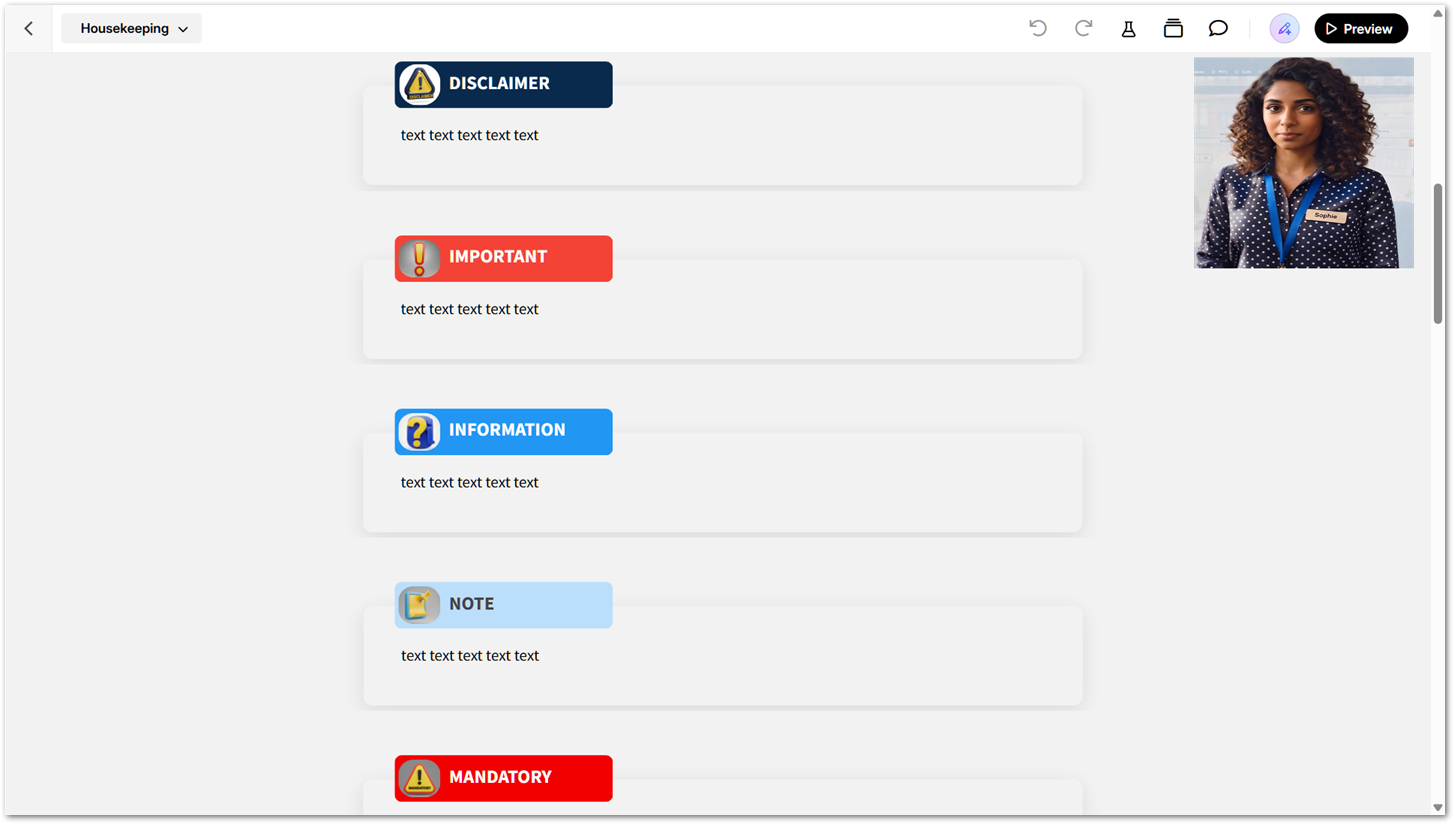

Hi LucianaPiazza - in Rise there is no overlay option (apart from within labeled graphic block) within a block so, at the moment, if I want to draw attention to important information, I typically use custom blocks with headings such as IMPORTANT, NOTE, or INFORMATION, followed by the guidance I want learners to read. While this works, the information remains tied to the content flow and can easily be missed.
But what I'd like, and suggested, is an overlay avatar that doesn't sit inside blocks only but which "follows" the learner as they go through the lesson/scroll up and down the page. Like an angel waiting to rescue the learner so the learner knows I've got their back. Remote self-study can sometimes feel isolating, and learners may worry that they're missing something or don't know what to do next and who to ask for help😰
In Storyline I insert an image in the corner of all my slides which I've already told the user (in my housekeeping slide) to click if they need help to find out where they need to click next. When the user clicks the image, another silder layer is revealed giving the information they need.
I've attached a screenshot to illustrate this.


Hi MeeraLynn-UK,
Appreciate you following up with additional context! The screenshot and your examples make it easy to picture how you support your learners.
Your custom blocks work, but they stay tied to the content flow and can be missed. You’d like an avatar that follows learners as they scroll, so remote self-study feels less isolating, and they know help is there. It’s clear how much you want your learners to feel supported, and your Storyline corner image that opens a help layer shows how you already do that.
I don’t have anything to share about what’s ahead, but hearing how you support your learners helps us understand what you’re looking for.
Related Content
- 2 months ago
- 5 months ago
- 8 days ago
- 4 months ago