visual design
140 TopicsBlurred Backgrounds in E-Learning Course Design #366
Blurred Backgrounds Effects in E-Learning #366: Challenge | Recap Challenge of the Week This week, your challenge is to share an e-learning slide, demo, or design comp that features blurred backgrounds. Try to include before-and-after examples to show how your background graphics transformed your original slides. Bonus: Share your backgrounds as a separate asset or download. We'll post a blurred backgrounds round-up to share your bundles of blurred goodness in a few weeks. Share Your E-Learning Work Comments: Use the comments section below to share a link to your published example and blog post. Forums: Start your own thread and share a link to your published example.. Personal blog: If you have a blog, please consider writing about your challenges. We’ll link back to your posts so the great work you’re sharing gets even more exposure. Social Media: If you share your demos on Twitter or LinkedIn, try using #ELHChallenge or #ElearningChallenge so your tweeps can track your e-learning coolness. New to the E-Learning Challenges? The weekly e-learning challenges are ongoing opportunities to learn, share, and build your e-learning portfolios. You can jump into any or all of the previous challenges anytime you want. I’ll update the recap posts to include your demos. Learn more about the challenges in this Q&A post and why and how to participate in this helpful article. Last Week’s Challenge: Before you dive into this week's challenge, take some time to check out the interactive video examples your fellow challengers shared over the past week: Interactive Video in E-Learning #365: Challenge | Recap2.9KViews0likes173CommentsCreating E-Learning Templates from Vector Graphics #376
E-Learning Templates from Illustrations #367: Challenge | Recap Challenge of the Week This week, your challenge is to build a simple interaction or course starter template using a single illustration. Please include a screenshot or a link to the stock graphic you used to help others learn from your example. Resources How to Edit SVG Graphics in PowerPoint How to Edit Free Vector Images in PowerPoint 36 Mixing Photo and Illustration Examples in E-Learning Design #312 Share Your E-Learning Work Comments: Use the comments section below to share a link to your published example and blog post. Forums: Start your own thread and share a link to your published example.. Personal blog: If you have a blog, please consider writing about your challenges. We’ll link back to your posts so the great work you’re sharing gets even more exposure. Social Media: If you share your demos on Twitter or LinkedIn, try using #ELHChallenge so your tweeps can track your e-learning coolness. Last Week’s Challenge: Before you break apart this week’s challenge, check out the xAPI examples your fellow challengers shared over the past week: xAPI Examples from E-Learning Designers #375: Challenge | Recap New to the E-Learning Challenges? The weekly e-learning challenges are ongoing opportunities to learn, share, and build your e-learning portfolios. You can jump into any or all of the previous challenges anytime you want. I’ll update the recap posts to include your demos. Learn more about the challenges in this Q&A post and why and how to participate in this helpful article.1.2KViews0likes111CommentsEye Yoga: A Black-and-White Break for Your Screen-Tired Eyes
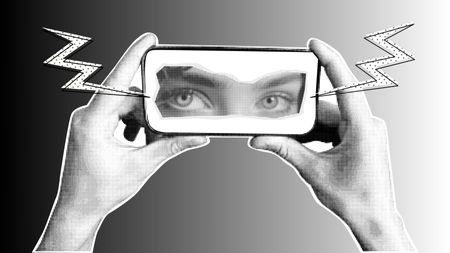
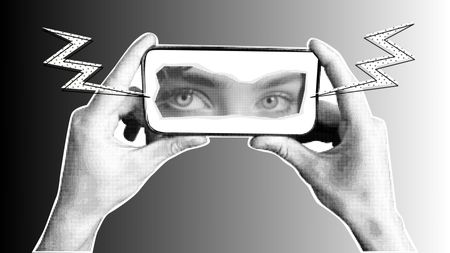
For my first-ever entry in this week’s black-and-white challenge, I stepped far outside my comfort zone, because I love colour! Embracing the monochrome theme, I created a lighthearted, collage-style interaction called "Eye Yoga". Built in Articulate Storyline 360, the visuals were crafted in Canva using a mix of halftones, shadows, and paper cut-out effects to give the piece a tactile, layered feel. The final design features three simple animations and guides learners through three quick exercises to ease digital eye strain. This project was a fun exploration of how texture, balance, and movement can still bring energy to a design—even without colour. Let me know what you think! I hope you will like it. Click here to explore the 'Eye Yoga' projectDesigning E-Learning course in Black and White | Malware Awareness Training
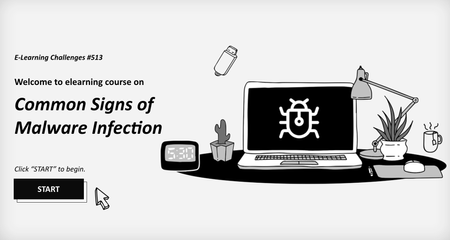
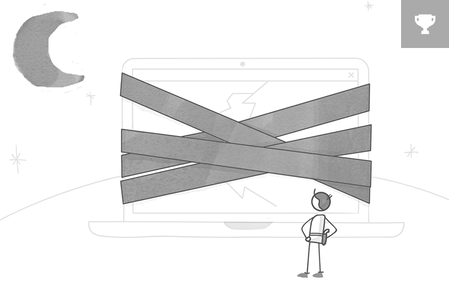
Level up your cybersecurity skills! Master malware detection with a fun, click-and-reveal twist. Simple, sleek, and effective designed in Black & White for maximum focus and clarity for learners! Course Key Features: Objective: Build your expertise in malware detection and become unstoppable! Action: Engage in interactive, click-and-reveal challenges to strengthen your skills! Feedback: Instant feedback to make you smarter with every click! Get ready to spot those malware signs! Click the link to start the fun now! https://www.swiftelearningservices.com/designing-e-learning-course-in-black-and-white/Eye Yoga: A Black-and-White Break for Your Screen-Tired Eyes
For my first-ever entry in this week’s black-and-white challenge, I stepped far outside my comfort zone—because I love colour! Embracing the monochrome theme, I created a lighthearted, collage-style interaction called "Eye Yoga". Built in Articulate Storyline 360, the visuals were crafted in Canva using a mix of halftones, shadows, and paper cut-out effects to give the piece a tactile, layered feel. The final design features three simple animations and guides learners through three quick exercises to ease digital eye strain. This project was a fun exploration of how texture, balance, and movement can still bring energy to a design—even without colour. I hope you will like it. https://360.articulate.com/review/content/b16e222f-a2e3-40b2-9aa7-b86c7ad0da8c/review